


 Call us: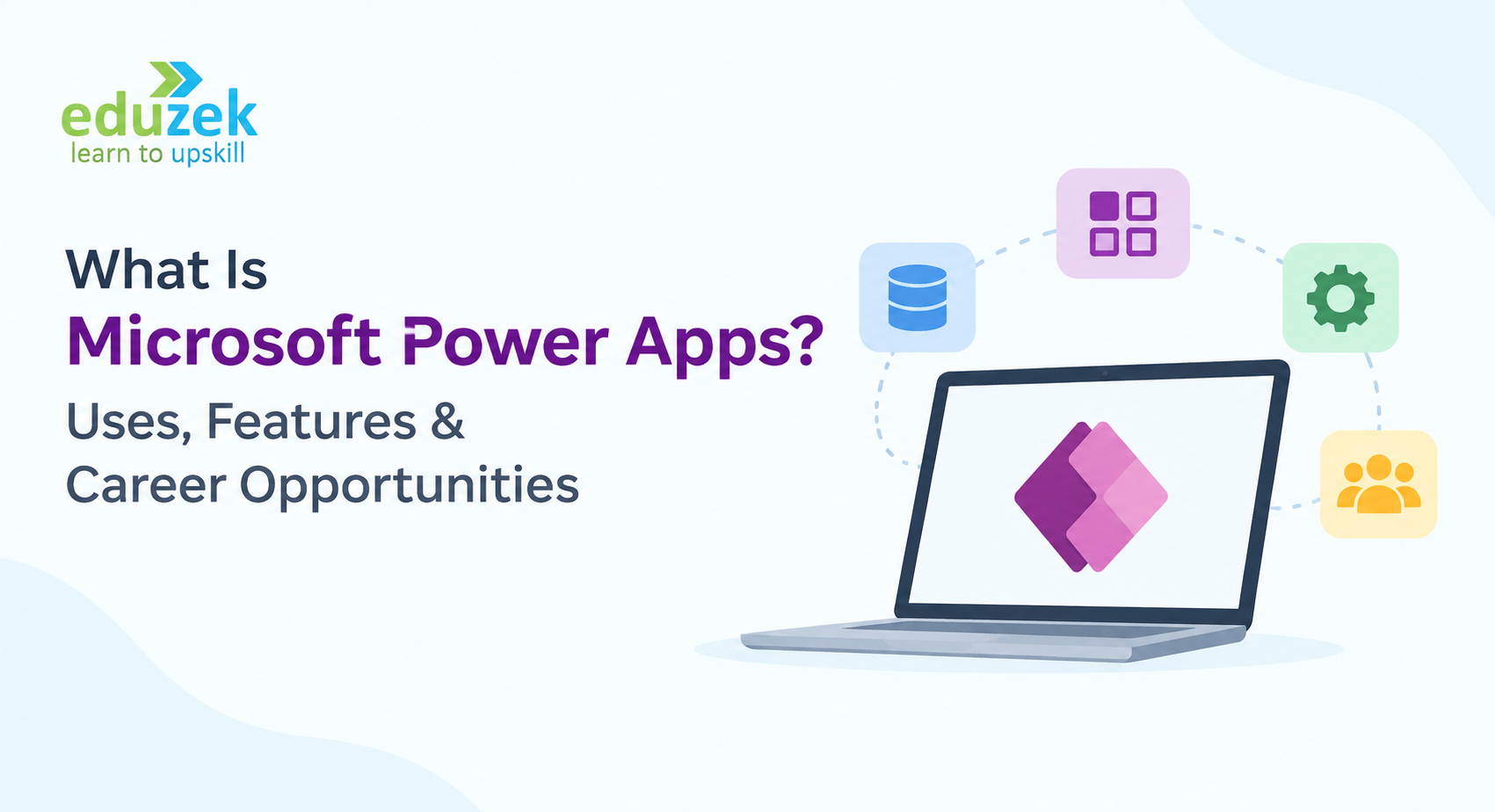
What Is Microsoft Power Apps? Uses, Features & Careers
What Is Microsoft Power Apps? Uses, Features & Career Opportunities
Microsoft Power Apps is transforming how businesses build applications, automate processes, and manage everyday operations. Instead of spending months developing applications from scratch, organizations can use low-code tools to create custom business apps with minimal coding.
Whether you are a working professional, business analyst, IT professional, software developer, or beginner exploring new technology skills, understanding Microsoft Power Apps can help you discover new ways to improve business productivity and advance your career.
But what exactly is Power Apps? How does it work? What are its real-world applications, and what career opportunities can you explore by learning this technology?
In this guide, we will explain Microsoft Power Apps, its key features, common use cases, how to get started, and the career opportunities available to professionals with Power Apps skills.
What Is Microsoft Power Apps?
Microsoft Power Apps is a low-code application development platform that allows users to build custom business applications without writing extensive code.
It is part of the Microsoft Power Platform, a collection of business tools designed to help organizations analyze data, automate workflows, build applications, and create digital solutions.
With Microsoft Power Apps, businesses can develop applications for tasks such as employee onboarding, inventory management, expense approvals, customer management, and data collection.
Power Apps connects with various data sources, including Microsoft Excel, SharePoint, Microsoft Dataverse, Microsoft 365, Dynamics 365, and SQL Server. This allows users to build applications that work with existing business data.
For example, instead of maintaining inventory records in multiple spreadsheets, a company can create a Power Apps inventory management application where employees can update stock levels, track products, and access information from a single interface.
One of the biggest advantages of Power Apps is that it makes application development more accessible to people who do not have advanced programming skills.
In simple terms, Microsoft Power Apps helps you build business applications faster using a visual development environment and low-code tools.
How Does Microsoft Power Apps Work?
Microsoft Power Apps simplifies application development through visual design tools, data connections, reusable components, and formulas.
Users can create an application by designing screens, adding forms and buttons, connecting data sources, and defining how the application should behave.
Here is how the process generally works:
- Identify a business requirement: Determine which task or process needs improvement, such as leave management or expense tracking.
- Choose an app type: Select a canvas app or model-driven app based on your business requirements.
- Connect your data: Use a suitable data source, such as Microsoft Dataverse, SharePoint, or Excel.
- Design the application: Add screens, forms, galleries, buttons, and other interface elements.
- Add business logic: Use Power Fx formulas to define calculations, validations, and user interactions.
- Test the application: Check that the application works correctly and handles data as expected.
- Publish and share: Make the application available to authorized users according to the organization's access and licensing requirements.
Power Apps can also work with Power Automate to automate tasks such as sending notifications, routing approval requests, and updating records when specific events occur.
This combination helps organizations build connected business solutions rather than relying entirely on manual processes.
Key Features of Microsoft Power Apps
Microsoft Power Apps offers several features that make it useful for businesses, developers, and professionals who want to create custom applications.
1. Low-Code Application Development
Power Apps uses a visual development environment that allows users to build applications with limited coding.
Users can drag and drop interface components, configure properties, connect data sources, and use formulas to implement application logic.
This approach reduces the need to develop every feature from scratch and can help organizations deliver business applications more efficiently.
2. Canvas Apps
Canvas apps allow users to design an application's interface with significant flexibility.
You can start with a blank canvas and arrange screens, buttons, forms, images, galleries, and other components according to your requirements.
Canvas apps are useful when the user experience and customized layouts are important.
Example: A field service company can build a mobile application that allows technicians to view assigned jobs, update service status, and submit inspection reports.
3. Model-Driven Apps
Model-driven apps are built around a structured data model, typically using Microsoft Dataverse.
Instead of designing every screen manually, users configure data tables, relationships, forms, views, dashboards, and business processes. The platform generates a consistent application interface based on these components.
Model-driven apps are suitable for data-intensive business applications that require standardized processes.
Example: A sales department can create a customer management application to track accounts, contacts, sales activities, and business opportunities.
4. Integration With Microsoft 365
Power Apps integrates with Microsoft services and other supported data sources.
Depending on the available connectors and licensing, applications can work with services such as SharePoint, Microsoft Teams, Excel, Dynamics 365, and SQL Server.
This integration makes it easier for organizations to build applications around tools they already use.
5. Microsoft Dataverse
Microsoft Dataverse is a data platform used to securely store and manage business data.
It supports structured tables, relationships, business rules, and security capabilities that help organizations build scalable business applications.
Power Apps can use Dataverse to manage information such as employee records, customer details, inventory, and project data.
6. Power Fx Formulas
Power Fx is the formula language used in Power Apps to define application behavior.
Its syntax draws on concepts familiar to spreadsheet users, making it easier for beginners to understand basic calculations and logic.
For example, a Power Apps developer can use formulas to calculate totals, validate user input, filter records, or control what happens when someone clicks a button.
7. Power Automate Integration
Power Apps can be combined with Microsoft Power Automate to automate repetitive business tasks.
For example, when an employee submits a leave request through a Power Apps application, Power Automate can send an approval request to the manager and notify the employee when a decision is made.
This integration helps businesses connect user-facing applications with automated workflows.
8. AI-Assisted App Development
Microsoft continues to introduce AI-assisted capabilities in Power Apps, including Copilot experiences that can help users describe business requirements and accelerate application creation.
The available capabilities depend on the product experience, environment, region, and licensing.
AI-assisted development can help users get started faster, but applications still need proper testing, data validation, security configuration, and business review.
What Are the Uses of Microsoft Power Apps?
Microsoft Power Apps has a wide range of business applications across industries. Organizations use it to digitize manual processes, improve data accessibility, and create applications tailored to their operational needs.
Here are some common Power Apps use cases.
1. Employee Management
Organizations can use Power Apps to build applications for employee onboarding, attendance records, leave requests, and internal employee services.
For example, an employee can submit a leave request through an application, while HR teams can review requests and maintain records in a centralized system.
2. Inventory Management
Power Apps can help businesses track products, stock levels, warehouse movements, and inventory updates.
Employees can use mobile or browser-based applications to enter stock information and check product availability.
This can reduce manual data entry and make inventory information easier to access.
3. Expense Management
Businesses can create expense submission applications where employees enter expense details, upload supporting information, and track approval status.
When combined with Power Automate, these applications can trigger approval workflows and send automated notifications.
4. Customer Relationship Management
Power Apps can support customer management processes by allowing teams to maintain contact information, track interactions, and manage internal sales activities.
Organizations with specialized requirements can create custom applications that complement their existing CRM systems.
5. Project Management
Project teams can use Power Apps to track project tasks, milestones, resource assignments, and status updates.
A custom application can provide a centralized interface for project information and reduce dependence on scattered spreadsheets.
6. Data Collection and Inspection
Power Apps is useful for collecting information through digital forms and structured workflows.
Industries such as manufacturing, healthcare administration, logistics, and field services can use custom applications for inspections, checklists, maintenance requests, and operational reporting.
7. Approval Workflows
Power Apps can provide an interface for submitting requests, while Power Automate handles the workflow behind the process.
Common examples include purchase requests, travel approvals, document reviews, and equipment requests.
8. Internal Business Applications
Organizations can build applications for IT support requests, facility management, vendor registration, employee feedback, and other internal processes.
These applications can be customized to match the organization's requirements without building an entirely new software system from the ground up.
Microsoft Power Apps vs. Traditional App Development
Traditional application development often requires developers to write substantial code, build application components, and manage multiple stages of the development process.
Power Apps offers a low-code alternative for many business applications.
Here is a simple comparison:
| FeatureMicrosoft Power AppsTraditional App Development | ||
| Development approach | Low-code and visual development | Usually code-intensive |
| Coding requirements | Limited for many common use cases | Depends on the technology and application |
| Development speed | Can accelerate suitable business applications | Depends on project scope and complexity |
| Customization | Flexible within platform capabilities | Can offer extensive control |
| Data integration | Uses connectors and supported data sources | Often requires custom integrations |
| Best suited for | Business apps and process digitization | Highly customized or specialized software |
| Technical skills | Power Apps, Power Fx, data and workflow concepts | Programming languages, frameworks and architecture |
Power Apps does not replace traditional software development in every situation. Complex applications involving specialized performance requirements, advanced architecture, or extensive custom functionality may still require conventional development.
However, Power Apps can be a practical choice when organizations need to create business applications quickly and integrate them with their existing Microsoft ecosystem.
How to Get Started With Microsoft Power Apps
If you are new to Microsoft Power Apps, you can begin by learning the fundamentals and gradually building practical applications.
You do not need to be an experienced programmer to start. However, basic familiarity with spreadsheets, business processes, and data management can be helpful.
Follow these steps to get started with Power Apps.
Step 1: Understand the Microsoft Power Platform
Begin by learning how Power Apps fits into the broader Microsoft Power Platform.
Understand the roles of Power Apps, Power Automate, Power BI, Microsoft Dataverse, and other related services.
This foundation will help you identify which tools are appropriate for different business requirements.
Step 2: Learn the Power Apps Interface
Explore Power Apps Studio and become familiar with its development environment.
Learn how to create screens, insert controls, configure properties, and organize application components.
Start with a simple application rather than trying to build a complex business solution immediately.
Step 3: Learn Canvas Apps and Model-Driven Apps
Understand the difference between canvas apps and model-driven apps.
Practice building a simple canvas app with a customized interface. Then explore model-driven apps to understand how data models, forms, views, and Dataverse work together.
Learning both approaches will help you select the right app type for different business scenarios.
Step 4: Practice Connecting Data Sources
Learn how to connect Power Apps with supported data sources such as SharePoint, Excel, and Microsoft Dataverse.
Practice displaying records, submitting forms, updating information, and filtering data.
Understanding data connections is essential because most business applications need to retrieve or update information.
Step 5: Learn Power Fx
Once you understand the interface, start learning Power Fx formulas.
Focus on basic calculations, conditional logic, data filtering, form validation, and button actions.
You can gradually progress to more advanced formulas as your applications become more complex.
Step 6: Learn Power Automate
Explore how Power Automate can extend your applications with automated workflows.
Build simple flows for sending emails, creating approval requests, and responding to application events.
For a structured learning path, explore Eduzek's Power Apps and Power Automate Training in India.
Step 7: Build Practical Projects
Practical projects help you apply concepts and demonstrate your skills.
Consider building the following applications:
- Employee leave management application
- Inventory tracking application
- Expense submission and approval system
- Customer information management application
- IT support ticketing application
- Project task tracking application
As you build these projects, document the business problem, application design, data connections, formulas, workflow logic, and testing process.
A portfolio of practical projects can help you demonstrate your capabilities when applying for relevant roles.
Is Microsoft Power Apps Easy to Learn?
Microsoft Power Apps is generally approachable for beginners because it offers visual development tools and a formula language that resembles familiar spreadsheet concepts.
However, the level of difficulty depends on the type of application you want to build.
Creating a basic form or data entry application may be relatively straightforward. Building a production-ready business application can require deeper knowledge of data modeling, permissions, formulas, integrations, performance, and application lifecycle management.
To learn Power Apps effectively, focus on the following areas:
- Basic application design and navigation
- Canvas apps and model-driven apps
- Data sources and Microsoft Dataverse
- Power Fx formulas
- Power Automate workflows
- Security and access management
- Application testing and deployment
Structured training and hands-on projects can help you learn these concepts in a logical sequence.
Career Opportunities After Learning Microsoft Power Apps
Microsoft Power Apps skills can be relevant to professionals working in application development, business analysis, workflow automation, business systems, and digital transformation.
As organizations look for ways to improve operational efficiency, low-code development skills can complement existing technical and business expertise.
The career opportunities available to you will depend on your previous experience, technical knowledge, project portfolio, and the requirements of individual employers.
1. Power Apps Developer
Power Apps developers build and maintain custom business applications using canvas apps, model-driven apps, data connections, Power Fx, and related Microsoft technologies.
Typical responsibilities include designing application interfaces, implementing business logic, integrating data sources, testing applications, and supporting deployment.
2. Power Platform Developer
Power Platform developers work across multiple Microsoft Power Platform services.
Along with Power Apps, they may use Power Automate, Dataverse, Power BI, and custom connectors to build integrated business solutions.
This role can require a broader understanding of application architecture, automation, data management, and integrations.
3. Business Analyst
Business analysts work with stakeholders to understand business requirements and translate them into practical solutions.
Knowledge of Power Apps can help business analysts identify opportunities for process digitization, design application workflows, and collaborate more effectively with technical teams.
4. Power Platform Consultant
Power Platform consultants help organizations identify, design, implement, and improve solutions using Microsoft Power Platform technologies.
Depending on the role, responsibilities may include requirement gathering, solution design, application configuration, workflow automation, governance, and user training.
Experienced professionals may also work with clients to plan platform adoption and digital transformation initiatives.
5. Workflow Automation Specialist
Workflow automation specialists identify repetitive tasks and develop automated processes using tools such as Power Automate.
Power Apps knowledge can be useful when automation needs to be connected to forms, user interfaces, or custom business applications.
6. Microsoft 365 or Business Applications Specialist
Professionals working with Microsoft 365 and business applications may use Power Apps to extend existing systems and create solutions for internal teams.
This can be particularly relevant for IT professionals, system administrators, application support specialists, and Microsoft technology consultants.
What Skills Should You Learn Along With Power Apps?
Learning Power Apps is a useful starting point, but combining it with related skills can help you work on more complete business solutions.
Consider developing the following capabilities:
Power Automate: Learn how to create automated workflows, notifications, and approval processes.
Microsoft Dataverse: Understand tables, relationships, data types, and security roles.
Power Fx: Develop confidence in formulas, conditional logic, data operations, and validation.
SharePoint and Microsoft 365: Learn how business applications interact with common workplace tools.
SQL and data fundamentals: Understand structured data, queries, and relationships to work more effectively with business information.
API and connector fundamentals: Learn how applications exchange information with external systems.
Security and governance: Understand permissions, environment management, data access, and deployment practices.
Requirement gathering and problem-solving: Learn how to convert business requirements into practical application designs.
For professionals who want to develop a broader skill set, combining Power Apps with Power Automate can be particularly valuable because it brings application development and workflow automation together.
Why Should Working Professionals Learn Microsoft Power Apps?
For working professionals, learning Microsoft Power Apps can offer several practical benefits.
1. Expand your technical skills: Power Apps can complement experience in IT, business analysis, operations, project management, and Microsoft 365 administration.
2. Solve business problems: You can identify repetitive manual tasks and develop applications that make processes more efficient.
3. Improve cross-functional collaboration: Understanding low-code development can help you communicate more effectively with business stakeholders and technical teams.
4. Build practical projects: You can create applications that demonstrate your ability to solve real business problems.
5. Explore new career paths: Power Apps knowledge can support your transition toward roles involving low-code development, business applications, and workflow automation.
6. Continue learning within the Microsoft ecosystem: Power Apps provides a foundation for exploring other Power Platform tools and related Microsoft technologies.
The best results come from combining platform knowledge with practical experience and an understanding of how organizations use business applications.
Why Choose Structured Power Apps Training?
Self-learning is a useful way to explore Microsoft Power Apps, but following a structured learning path can help you progress more systematically.
A well-designed Power Apps training program should help you understand core concepts, practice building applications, work with data sources, and develop solutions for real business scenarios.
When evaluating a course, look for opportunities to learn:
- Power Apps fundamentals and application design
- Canvas apps and model-driven apps
- Power Fx formulas and data integration
- Microsoft Dataverse and SharePoint connectivity
- Power Automate workflows and approvals
- Practical projects and business use cases
- Application security, testing, and deployment
Working professionals may also benefit from training that fits around their existing schedules and connects technical concepts with workplace applications.
If you are ready to develop your skills, explore Eduzek's Power Apps Courses Online for Working Professionals to learn more about available training options.
You can also explore the Power Apps and Power Automate Training in India program if you want to build knowledge of both application development and workflow automation.
Choose a course based on its curriculum, practical learning opportunities, trainer expertise, support, and relevance to your career goals.
Frequently Asked Questions About Microsoft Power Apps
1. What is Microsoft Power Apps used for?
Microsoft Power Apps is used to build custom business applications with low-code development tools. Common use cases include employee management, inventory tracking, expense approvals, customer management, data collection, and internal business processes.
2. Is Microsoft Power Apps a coding tool?
Power Apps is primarily a low-code application development platform. Users can build many applications using visual tools and formulas, although advanced solutions may require programming knowledge, custom connectors, APIs, or other development techniques.
3. Is Power Apps suitable for beginners?
Yes. Beginners can start with basic applications, learn the interface, connect data sources, and gradually explore formulas and workflows. Prior experience with Excel or business processes can be helpful, but it is not essential for every beginner-level project.
4. What is the difference between Power Apps and Power Automate?
Power Apps is primarily used to build business applications and user interfaces. Power Automate is used to automate tasks and workflows across applications and services.
For example, Power Apps can provide a form for submitting a purchase request, while Power Automate can route that request to the appropriate manager for approval.
5. What are canvas apps and model-driven apps?
Canvas apps allow developers to customize the user interface with considerable flexibility. Model-driven apps use a structured data model, typically in Dataverse, to generate forms, views, and other application components.
The right option depends on the business requirement and the level of interface customization needed.
6. Can I learn Power Apps without programming experience?
Yes. Many Power Apps applications can be created without extensive programming experience. You can begin with visual development tools and gradually learn Power Fx, data modeling, integrations, and other technical concepts.
7. What career opportunities are available after learning Power Apps?
Potential career paths include Power Apps Developer, Power Platform Developer, Business Analyst, Power Platform Consultant, Workflow Automation Specialist, and Microsoft Business Applications Specialist.
Specific opportunities depend on your background, practical experience, and the skills required by employers.
8. Is Power Apps in demand?
Power Apps can be a valuable skill for organizations that use Microsoft technologies and want to digitize business processes. Demand varies by location, industry, and job role, so it is worth reviewing current job descriptions to understand the skills employers expect.
9. Can Power Apps be used with Excel and SharePoint?
Yes. Power Apps can connect to supported Excel and SharePoint data sources, subject to the relevant technical requirements and limitations. It can also connect to Microsoft Dataverse, SQL Server, and other supported services.
10. How can I start learning Microsoft Power Apps?
Start by understanding the Microsoft Power Platform, exploring Power Apps Studio, creating a basic canvas app, and learning how to connect data sources. Then progress to Power Fx, model-driven apps, Dataverse, and Power Automate.
A structured course combined with hands-on projects can help you develop practical skills.
Conclusion
Microsoft Power Apps makes it easier for organizations to build custom business applications, streamline manual processes, and connect data across their existing systems.
From employee management and inventory tracking to approval workflows and customer applications, Power Apps offers a flexible approach to solving everyday business challenges.
For beginners and working professionals, learning Power Apps can be a practical way to expand technical skills and explore opportunities in low-code development, business analysis, workflow automation, and Microsoft business applications.
The best way to get started is to understand the fundamentals, practice building applications, and gradually develop expertise in Power Apps, Power Automate, and Microsoft Dataverse.
Ready to take the next step?
Explore Eduzek's Power Apps Courses Online for Working Professionals and discover learning opportunities designed to help you develop relevant skills.
You can also explore Power Apps and Power Automate Training in India to learn how application development and workflow automation can work together to solve real-world business problems.
Tags :
- Microsoft Power Apps
- Power Apps
- Power Apps Tutorial
- What Is Microsoft Power Apps
- Power Apps Explained
- Power Apps Features
- Power Apps Use Cases
- Power Apps for Beginners
- Power Apps Getting Started
- Microsoft Power Platform
- Power Apps Training
- Power Apps Courses
- Power Apps Career Opportunities
- Power Apps Developer
- Power Platform Developer
- Power Apps and Power Automate
- Power Automate Training
- Low-Code Development
- Low-Code Application Development
- Microsoft Power Platform Training
- Power Apps for Working Professionals
- Business Process Automation
- Microsoft Technologies
- Eduzek
Related Course
Microsoft PowerApps & Power Automate
₹20000 ₹16000
Related Articles
October 25, 2026

October 17, 2026
Best LangChain Courses in 2026 (Free & Paid) | Eduzek
October 15, 2026