


 Call us: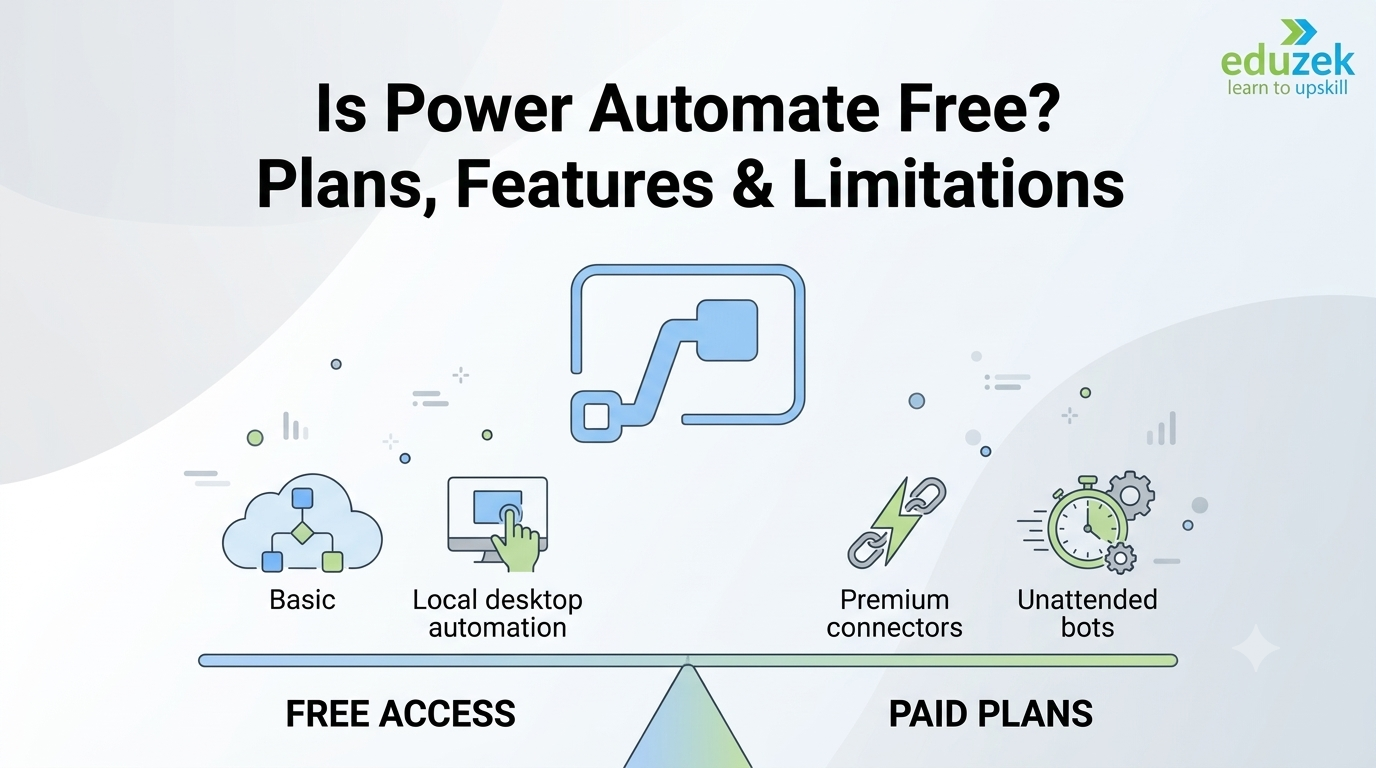
Is Power Automate Free? Plans, Features & Limitations
Is Power Automate Free? Plans, Features & Limitations
If you are exploring workflow automation, one of the first questions you may ask is: Is Power Automate free? Microsoft Power Automate helps individuals and businesses automate repetitive tasks, connect applications, streamline approvals, and reduce manual work. However, not every feature is included in every license.
The good news is that you can access some Power Automate capabilities without purchasing a standalone premium subscription. The exact features available to you depend on your Microsoft account, existing Microsoft 365 license, connector requirements, and whether you need cloud automation or desktop automation.
In this guide, we explain what you can use for free, how Power Automate Desktop works, when a paid plan may be necessary, and which limitations to consider before choosing a license.
Quick answer: Yes, Power Automate has free access options, including a free license for basic capabilities in eligible work or school environments and local attended desktop automation. Microsoft also offers a free trial of premium capabilities. However, premium connectors, unattended desktop automation, and certain advanced business requirements may need paid licensing. Check the official Microsoft Power Automate pricing page for the latest plan details.
What Is Microsoft Power Automate?
Microsoft Power Automate is a low-code automation platform that allows users to create workflows across applications, services, and desktop environments. Instead of performing the same task manually every day, you can configure a flow to carry out supported steps automatically or when a specific event occurs.
For example, a business can create a flow to notify a team when a new form is submitted, send reminders for pending approvals, organize files, or move information between connected applications.
Power Automate supports several automation approaches:
- Cloud flows: Automate tasks across supported online services and applications.
- Desktop flows: Automate repetitive actions in desktop applications and websites using robotic process automation (RPA).
- Automated flows: Start when a supported event occurs, such as a new item being added to a list.
- Instant flows: Start when a user manually triggers an action.
- Scheduled flows: Run according to a defined schedule, subject to the applicable license and service limits.
If you want to learn how these automation methods work in real projects, explore Eduzek’s Power Automate Course for course information and learning options.
Is Power Automate Free for Personal and Business Use?
The answer depends on how you plan to use the platform. Power Automate offers free access options, but free access does not mean every connector, cloud workflow, or desktop automation feature is available without restrictions.
1. Power Automate Free License
Microsoft offers a Power Automate Free license for eligible work or school accounts in a Microsoft Entra tenant. This license supports basic cloud-flow capabilities and local attended desktop-flow authoring and execution, with connector use restricted to standard connectors.
The free license may be suitable if you want to explore automation, understand the interface, or build simple workflows using supported services.
However, you should review the current license terms before using it for business-critical processes. Flow sharing, premium connectors, unattended automation, and other advanced capabilities may require different licensing.
2. Power Automate Included With Microsoft 365
Some Microsoft 365 subscriptions include limited Power Automate rights. Depending on the subscription, these rights can let users create automated, scheduled, or instant flows using supported standard connectors.
For example, an organization may use an eligible Microsoft 365 license to automate selected tasks involving SharePoint, Outlook, or other supported Microsoft services.
Do not assume that every Microsoft 365 subscription includes the same capabilities. Premium connectors, standalone premium functionality, and particular business scenarios may fall outside the included rights. Confirm the entitlements associated with your exact subscription.
3. Power Automate Free Trial
Microsoft also offers a free trial that lets eligible users test premium capabilities for a limited period. The trial duration and available features depend on the trial offer and licensing terms presented when you sign up.
A trial can help you evaluate features such as premium connectors or more advanced automation before deciding whether to purchase a license.
Remember that a trial is temporary. Before using it to build a business process, check what happens when the trial expires and whether you need a paid plan to continue running the workflow.
4. Power Automate Desktop Free Access
Power Automate Desktop allows users to build desktop flows that automate supported actions on a Windows computer. Depending on your Windows version, account, and licensing context, you may be able to author and run attended desktop flows without purchasing a standalone premium license.
Attended automation generally runs with a user present or involved in the session. Unattended automation, where a bot runs without a user actively attending the session, has different licensing requirements.
If your primary goal is to automate desktop software, browser actions, spreadsheets, or repetitive computer tasks, explore Eduzek’s Power Automate Desktop Course to learn more about desktop automation and its practical applications.
Power Automate Pricing: Free vs Paid Plans
Power Automate pricing depends on the type of automation you need, the number of users or bots involved, your connector requirements, and the applicable licensing arrangement.
The main options include a free license, a free trial, Power Automate Premium, and process-oriented licenses for automation that needs unattended execution or broader organizational use.
Power Automate Free
The free license is intended for basic capabilities. It can be useful for learning the platform and experimenting with eligible cloud flows and local attended desktop flows.
Potential limitations include:
- Standard connectors only under the free license.
- Limited sharing and collaboration capabilities.
- No general entitlement to premium connector functionality.
- No general entitlement to unattended desktop automation.
- Applicable service limits and licensing conditions.
Power Automate Premium
The Premium plan is designed for users who need broader automation capabilities, including premium and custom connectors and attended desktop automation. It also includes additional capabilities and entitlements described in Microsoft's current licensing documentation.
This option may suit professionals who need to connect more systems, automate complex workflows, or develop solutions that go beyond the basic free license.
Power Automate Process
The Process license is designed for qualifying automation scenarios where licensing is assigned to a process or bot rather than simply to an individual user. It supports unattended desktop automation and other capabilities defined by the current plan.
Organizations should assess the number of bots, required execution mode, process volume, and governance needs before selecting this type of license.
Power Automate Hosted Process
The Hosted Process option includes hosted machine capacity for qualifying unattended automation scenarios. It can be relevant when an organization wants Microsoft-hosted infrastructure for supported desktop automation workloads.
Availability, technical requirements, and pricing should be confirmed against Microsoft's current terms.
Indicative Pricing in India
Microsoft's India pricing page currently lists the following published annual-billing prices. These figures are provided for general comparison and can change. Taxes, offers, regional terms, and checkout prices may affect the final amount.
| PlanPublished price on the India pricing pageGeneral purpose | ||
| Power Automate free trial | Free for the advertised trial period | Evaluate eligible premium capabilities |
| Power Automate Premium | ₹1,250 per user/month, paid yearly | Broader cloud and attended desktop automation |
| Power Automate Process | ₹12,480 per bot/month, paid yearly | Qualifying process and unattended automation |
| Power Automate Hosted Process | ₹17,885 per bot/month, paid yearly | Qualifying unattended automation using a Microsoft-hosted machine |
Prices above are indicative, not a guarantee of your final price. GST is extra where applicable, and plan terms may change. Check the official Power Automate pricing page for India before making a purchasing decision.
Power Automate Free vs Premium: Key Differences
The most important difference between free and paid access is not simply the number of flows you can create. It is whether your intended workflow needs premium connectors, broader sharing and management capabilities, unattended execution, or other licensed features.
| FeatureFree accessPremium or qualifying paid plan | ||
| Basic cloud flows | Available within free-license limits | Available, subject to plan terms |
| Standard connectors | Available | Available |
| Premium connectors | Not generally included with the free license | Included in eligible plans |
| Local attended desktop flows | Available in eligible licensing contexts | Supported, with entitlements depending on plan |
| Unattended desktop automation | Not generally included | Requires an eligible license |
| Custom connectors | Not generally included | Supported by eligible plans |
| Advanced organizational requirements | May be limited | Depends on the selected plan |
| Hosted automation machine | Not included as a general free entitlement | Available with an eligible hosted plan |
This table is a high-level guide, not a substitute for Microsoft's full licensing rules. Existing Microsoft 365, Dynamics 365, and Power Platform subscriptions may provide additional rights in specific scenarios.
What Can You Do With Power Automate for Free?
Free access can be useful for learning, testing basic workflows, and understanding how automation fits into everyday work.
Here are examples of tasks you may be able to automate, depending on your account, connector availability, and license:
1. Learn Workflow Automation
Create sample flows to understand triggers, actions, conditions, variables, and basic error handling.
2. Automate Simple Tasks
Build basic workflows that connect supported services through standard connectors, subject to applicable usage limits.
3. Explore Desktop Automation
Use eligible local attended desktop automation capabilities to learn how repetitive actions can be automated in supported Windows applications.
4. Test Workflow Ideas
Create a proof of concept to determine whether automation can simplify a manual process before investing in a paid deployment.
5. Build Your Automation Skills
Practice designing flows, handling errors, and documenting processes. If you want a structured introduction to the platform, review Eduzek's online Power Automate course to explore learning options that fit your schedule.
What Are the Limitations of Power Automate Free?
Before relying on free access for business operations, consider the following limitations.
1. Premium Connectors May Require a Paid License
Connectors are integrations that let flows communicate with supported services. Standard connectors are available under certain free and Microsoft 365 licensing arrangements, while premium and custom connectors generally require appropriate licensing.
If your workflow depends on a premium service or a custom-built integration, verify licensing before building the complete solution.
2. Unattended Desktop Automation Requires Appropriate Licensing
Attended desktop flows and unattended desktop flows are not interchangeable from a licensing perspective. If a bot must run without a user attending the session, an eligible Process or Hosted Process license may be required.
3. Sharing and Collaboration Can Be Restricted
The free license does not provide every collaboration entitlement. If colleagues need to co-own, manage, or run a workflow, review the relevant license and sharing rules.
4. Usage Limits Apply
Power Automate has service protection limits, action limits, connector limits, and other restrictions that depend on the licensing context and workload. A flow that works during a small test may need additional planning before it can support a high-volume business process.
5. Advanced Features May Not Be Included
Features such as premium connectors, certain process-mining capabilities, advanced governance, AI Builder entitlements, and hosted automation depend on the applicable license and add-ons.
Always confirm the specific feature entitlement instead of assuming that a feature is included simply because you can see it in the interface.
Is Power Automate Desktop Free?
Power Automate Desktop can be used for eligible local attended automation scenarios without purchasing a standalone premium license. However, the precise rights available depend on your Windows version, account, and licensing context.
Power Automate Desktop is designed to automate repetitive computer tasks, including interactions with supported desktop applications and websites. Users can build flows that perform actions such as clicking controls, entering data, moving files, and working with application interfaces.
Examples of Desktop Automation
- Copying data between supported applications.
- Automating repetitive data-entry steps.
- Organizing and processing files.
- Extracting information from supported interfaces.
- Performing repeatable browser or desktop tasks.
- Assisting with legacy application workflows.
These examples describe potential use cases; each automation depends on the application, its interface, security controls, and the available actions.
Attended vs Unattended Automation
Attended automation runs with a user present or involved in the session. Eligible local attended use may be available without a standalone premium license.
Unattended automation runs without a user actively attending the session. It requires the appropriate licensing and environment configuration.
For example, automating a task while you are logged in and working on your computer differs from scheduling a bot to process tasks overnight without supervision.
If you want to specialize in this area, Eduzek's Power Automate Desktop Course is a relevant place to explore desktop-flow learning options.
Is Power Automate Free With Microsoft 365?
Some Microsoft 365 plans include limited Power Automate use rights. These may allow users to create automated, scheduled, and instant cloud flows using standard connectors for eligible productivity scenarios.
However, the exact rights depend on the specific subscription and the context in which the flow operates.
Before using Power Automate with Microsoft 365, check:
- Which Microsoft 365 subscription your organization has.
- Whether the required connectors are standard or premium.
- Whether the flow runs in an eligible Microsoft 365 context.
- Whether the process needs custom connectors or on-premises connectivity.
- Whether the automation exceeds applicable service limits.
- Whether sharing and execution requirements need additional licensing.
For organizational deployments, ask your Microsoft 365 or Power Platform administrator to verify the license assigned to your account and the rights applicable to the workflow.
Who Should Choose the Free Version?
The free license may be appropriate for:
- Beginners learning Power Automate fundamentals.
- Students exploring workflow automation concepts.
- Individuals testing basic flows with standard connectors.
- Users experimenting with eligible local desktop automation.
- Professionals evaluating a small proof of concept.
The free option may not be sufficient if your workflow requires premium connectors, unattended execution, broader organizational governance, or specific advanced capabilities.
Who Should Consider a Paid Power Automate Plan?
A paid plan may be worth considering if you:
- Need premium or custom connectors.
- Want to use attended desktop automation with eligible premium features.
- Need unattended desktop automation.
- Are deploying business-critical workflows across teams.
- Need additional process capacity or hosted automation infrastructure.
- Require features or entitlements that are not available under your existing license.
The best plan depends on the workflow, not just the number of users. Compare the license requirements for each process before purchasing.
How to Get Started With Power Automate
If you want to explore Power Automate, follow these steps:
- Identify the task: Choose a repetitive activity you want to automate.
- Check the source and destination: Identify the applications, files, and services involved.
- Verify connector availability: Determine whether the required integrations are standard, premium, or custom.
- Check your license: Confirm your existing Power Automate or Microsoft 365 entitlements.
- Build a small flow: Start with a simple trigger and a few actions.
- Test thoroughly: Check successful runs, failed actions, permissions, and unexpected inputs.
- Review limits and security: Ensure the workflow is appropriate for your intended volume and data.
- Plan for production: Confirm ownership, sharing, monitoring, licensing, and recovery procedures.
If you are new to workflow automation, consider exploring Eduzek's Power Automate Course for information about learning the platform and developing practical automation skills.
Final Verdict: Is Power Automate Free?
Yes, Power Automate has free access options, but not all Power Automate features are free. Eligible users can use basic capabilities through the Power Automate Free license, certain Microsoft 365 subscriptions, or local attended desktop automation scenarios. Microsoft also offers a free trial for eligible premium capabilities.
A paid license may be necessary when you need premium connectors, unattended desktop automation, hosted machines, or other advanced capabilities.
The best approach is to identify the workflow you want to automate, confirm your current license, and compare the required features against Microsoft's latest licensing documentation. This helps you avoid paying for capabilities you do not need—or building a workflow that cannot run under your current license.
If you want to develop practical automation skills, explore Eduzek's Power Automate Course, online Power Automate course, or Power Automate Desktop Course to find a learning path aligned with your goals.
Frequently Asked Questions About Power Automate
1. Is Power Automate free?
Power Automate offers a free license for basic capabilities in eligible work or school environments, as well as certain local attended desktop automation rights. Some Microsoft 365 subscriptions also include limited Power Automate use rights. Premium connectors and advanced automation features may require paid licensing.
2. Is Power Automate completely free?
No. Some capabilities are free, but premium connectors, unattended desktop automation, hosted machines, and other advanced features may require paid plans. The exact requirements depend on your license and use case.
3. Is Power Automate Desktop free?
Eligible users can author and run local attended desktop flows without a standalone premium license in supported licensing contexts. Unattended execution and certain advanced management features require appropriate licensing.
4. Is Power Automate free with Microsoft 365?
Some Microsoft 365 subscriptions include limited Power Automate rights for eligible productivity scenarios. The available connectors and features depend on the subscription and workflow context.
5. Does Power Automate have a free trial?
Yes. Microsoft offers a free trial for eligible premium capabilities. The duration and included features are determined by the current trial offer, so check the terms shown when activating it.
6. How long does the Power Automate free trial last?
The duration depends on the trial type and the offer available to your account. Microsoft's licensing documentation describes trial arrangements, but you should verify the current duration and expiry terms when signing up.
7. What is included in the Power Automate Free license?
The free license includes basic cloud-flow capabilities with standard connectors and local attended desktop-flow authoring and execution in eligible environments. Sharing, premium connectors, and unattended automation are subject to separate licensing requirements.
8. Can I use Power Automate for business purposes for free?
You may be able to use eligible free capabilities for basic business productivity scenarios. Before deploying a workflow for business use, verify the license, connectors, service limits, sharing requirements, and data-handling rules.
9. Are premium connectors free in Power Automate?
Premium connectors are not generally included in the Power Automate Free license. Access may be provided by an eligible paid plan or another qualifying license arrangement.
10. Can I create cloud flows for free?
Yes, basic cloud flows can be created under eligible free or Microsoft 365 licensing arrangements. Connector availability, sharing, usage limits, and other entitlements depend on the license.
11. Can I run Power Automate flows without paying?
Some flows can be created and run without a standalone paid Power Automate subscription when the user has eligible free or included rights. Other flows require premium licensing. Check the requirements of each connector and execution scenario.
12. Is unattended Power Automate Desktop free?
Unattended desktop automation generally requires an eligible paid license, such as a qualifying Process or Hosted Process plan. Local attended desktop automation has different licensing rules.
13. What is the difference between Power Automate Free and Premium?
Free access supports basic capabilities within defined limits. Premium licensing adds broader capabilities, including premium and custom connectors and attended desktop automation entitlements. Other plans address unattended execution and hosted automation.
14. How much does Power Automate cost in India?
Microsoft publishes India-specific pricing for plans such as Premium, Process, and Hosted Process. Prices can change and may exclude GST or be affected by offer terms. Check Microsoft's official India pricing page for current prices before purchasing.
15. Do I need a credit card to use Power Automate for free?
Requirements can vary depending on whether you are using the free license, an existing Microsoft 365 subscription, or a trial offer. Follow Microsoft's current sign-up instructions and review any payment details shown before activating a trial.
16. Can students learn Power Automate for free?
Students may be able to learn basic Power Automate concepts using eligible accounts and free capabilities. Access to specific connectors, organizational environments, and premium features depends on the account and license.
17. Can I use Power Automate on Windows 11 for free?
Windows 11 users can access certain attended desktop automation capabilities under applicable Windows licensing conditions. Full cloud-flow access and premium functionality may require additional licensing. Verify your exact entitlements before relying on them.
18. What are the main limitations of Power Automate Free?
Common limitations include standard-connector restrictions, limited sharing rights, no general entitlement to unattended desktop automation, applicable service limits, and the exclusion of certain advanced features. Exact restrictions depend on the license context.
19. Is Power Automate worth learning?
Power Automate can be useful for people who want to automate repetitive work, connect supported applications, and improve workflow efficiency. Its value depends on your role, the processes you need to automate, and how well you design, test, and maintain your flows.
20. Where can I learn Power Automate online?
You can explore Eduzek's Power Automate Course, online Power Automate course, and Power Automate Desktop Course to review the available learning options. Check the course pages for current curriculum, delivery format, fees, and support details.
Disclaimer: Power Automate features, pricing, trial availability, and licensing rules may change. This article is for general informational purposes and is not a substitute for Microsoft's current licensing terms. Confirm eligibility and costs with Microsoft or your organization's administrator before purchasing or deploying automation at scale.
Related Course
Microsoft PowerApps & Power Automate
₹20000 ₹16000
Related Articles
October 15, 2026