
 Hyderabad, India
 mailto:training@eduzek.com
 Call us: +91-7207950202
Master Microsoft Power Automate with interactive, live instructor-led online classes designed for working professionals, students, and process automation enthusiasts. Build automated cloud flows, streamline repetitive business tasks, integrate Microsoft 365 services, and solve real-world workplace scenarios. Benefit from flexible weekday or weekend batches, direct trainer interaction, and hands-on practical exercises from anywhere in the world
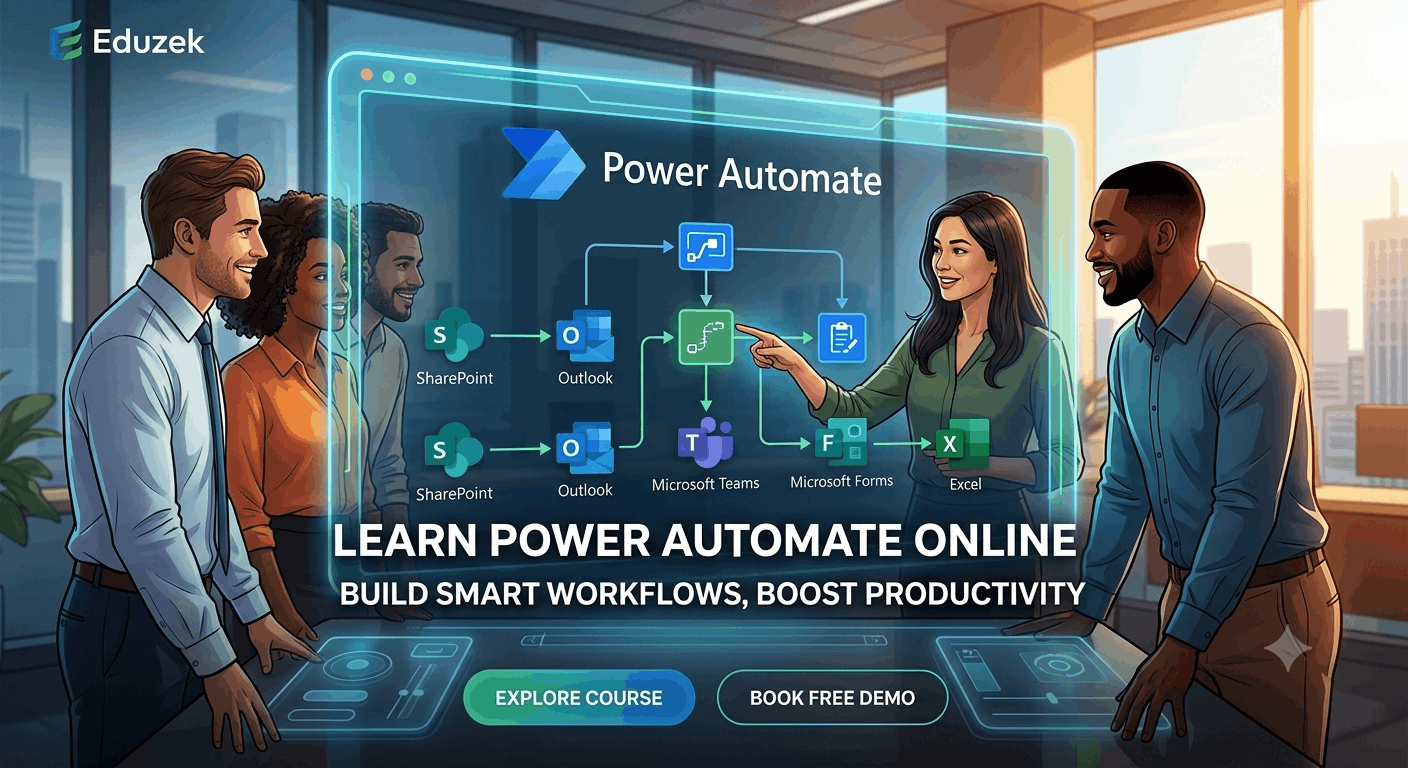
Microsoft Power Automate is a leading cloud-based low-code platform that enables individuals and enterprise teams to automate repetitive tasks, synchronize files, collect data, and streamline complex business processes without writing heavy code. From sending automated email notifications and managing multi-level approval workflows to processing forms and moving data across apps, Power Automate transforms standard business operations into seamless, automated routines.
Enrolling in a Power Automate Course Online offers the ultimate combination of flexibility and structured, guided learning. Through Eduzek's Power Automate Online Training, you can master the end-to-end platform directly from your home or office. Unlike static pre-recorded courses, our live online training gives you direct access to expert instructors who guide you through hands-on cloud flow creation, trigger setup, control actions, and dynamic expressions in real time.
Our practical curriculum is designed around real business applications across HR, finance, sales, IT, administrative operations, and reporting. Whether you are looking to boost your everyday productivity or launch a career in enterprise process automation, this online course equips you with the confidence and practical skills needed to design, test, and deploy production-ready workflows.
Individuals with no prior automation or coding experience who want to learn how to automate daily tasks using drag-and-drop cloud flows.
Professionals in HR, finance, sales, and administrative roles who want to eliminate tedious daily tasks, automate email routines, and speed up approvals.
Analysts who need to translate complex business process requirements into structured, scalable, and automated cloud workflows.
SharePoint site managers, Teams admins, and M365 specialists who want to supercharge lists, libraries, and communication channels with automated logic.
Developers and consultants looking to expand into low-code enterprise automation, advanced JSON parsing, dynamic expressions, REST API integration, and error handling.
Students, fresh graduates, and career changers looking to add high-demand Microsoft Power Platform skills to their resume and enter the digital automation space.
A progressive, module-by-module learning path delivered through live interactive online sessions, hands-on lab exercises, and practical real-world scenario building.
Build a real-time flow that triggers when a response is submitted in Microsoft Forms, parses form data, sends customized HTML confirmation emails to the submitter, and routes alerting emails to support staff.
Design an automated corporate approval pipeline that routes leave or expense requests to direct managers based on Azure AD profile hierarchy, handles multi-level approvals, updates status in SharePoint, and posts Adaptive Cards in Microsoft Teams.
Develop a document management workflow that automatically intercepts incoming email attachments, creates organized folder structures in SharePoint or OneDrive based on vendor/date, converts Word documents to PDF, and archives files.
Construct a scheduled cloud flow that runs automatically at specific times, queries data tables, calculates summary statistics using variables and expressions, and sends automated reminder digests to team leaders.
Create an interactive flow that sends actionable Adaptive Cards directly into Microsoft Teams channels, allowing managers to approve or reject requests without leaving the Teams app.
Build a flow that automatically extracts rows from incoming tabular files, performs data validation, populates master Excel Online sheets, and generates automated email status summaries.
| Course Name | Power Automate Online Training Course |
|---|---|
| Training Mode | Live Online Instructor-Led Sessions |
| Course Level | Comprehensive (Beginner to Intermediate & Advanced) |
| Course Format | Interactive Virtual Classroom with Live Q&A and Screen Sharing |
| Batch Options | Flexible Weekday Regular & Weekend Executive Batches |
| Practical Learning | 70%+ Hands-On Exercises, Live Labs, and Business Scenario Projects |
| Trainer Interaction | 1-on-1 Live Doubt Resolution & Project Guidance |
| Prerequisites | Basic computer knowledge; familiarity with Microsoft 365 is helpful but not required |
| Course Duration | 4 to 6 Weeks (30–40 Hours of Practical Online Training) |
| Session Access | Recorded Sessions Available for Revision & Catch-Up |
| Certification | Eduzek Course Completion Certificate Issued Upon Project Defense |
Participate in real-time, highly interactive online classes where you can ask questions instantly, share your screen, and receive personal guidance from expert instructors.
Learn by doing. Our curriculum prioritizes practical online lab exercises and real-world business scenarios over long theoretical lectures.
Progress seamlessly from fundamental trigger-and-action logic to advanced expressions, dynamic JSON parsing, and error-handling techniques.
Get your questions cleared during live class hours or dedicated doubt-clearing sessions so you never get stuck on complex flow logic.
Access high-quality class recordings after every live session, enabling you to review complex steps, catch up on missed classes, and practice at your own pace.
Choose from convenient early morning, evening, or weekend batch slots designed specifically to fit around full-time work and college commitments.
Learning Microsoft Power Automate can help professionals develop practical skills in workflow automation, business process improvement, and low-code application development. As organisations adopt digital transformation strategies, automating repetitive tasks and connecting business applications have become important parts of improving operational efficiency.
A well-structured Power Automate course online can help learners understand how to create automated workflows, configure triggers and actions, manage approvals, integrate Microsoft 365 applications, and streamline everyday business processes. These skills can be useful across IT, business analysis, operations, consulting, and Microsoft Power Platform development.
Whether you are a student exploring automation, a working professional looking to improve your technical skills, or an IT professional interested in expanding your expertise, learning Power Automate can help you work towards several career paths.
Through practical training, learners can understand how organisations use automation to reduce repetitive manual work, improve information flow between applications, standardise business processes, and support more efficient decision-making.
Microsoft Power Automate skills can complement several professional roles. Your career opportunities will depend on your existing qualifications, technical experience, knowledge of related Microsoft technologies, and ability to apply automation concepts to real-world business requirements.
A Power Automate Developer designs, builds, tests, and maintains automated workflows that help organisations simplify business processes.
Businesses often rely on multiple applications to manage documents, customer information, approvals, reports, and internal communications. Power Automate can connect supported applications and services to create workflows that reduce the need for manual intervention.
Key responsibilities may include:
Skills to develop:
Who should consider this role?
IT professionals, application support specialists, automation enthusiasts, and individuals interested in low-code development can explore this career path.
A structured Power Automate course online can provide a starting point for learning these concepts through practical exercises and workflow-building projects.
A Microsoft Power Platform Developer works with Microsoft's low-code ecosystem to develop applications, automate workflows, analyse business data, and create integrated business solutions.
Power Automate is particularly useful when a business application needs to trigger an action, initiate an approval, update a record, or send information between connected services.
For example, a company might use Power Apps to create an employee expense application, Power Automate to route expense claims for approval, and Power BI to analyse expense trends.
Key responsibilities may include:
Skills to develop:
Professionals interested in this career path can expand their knowledge through Eduzek's Power Apps and Power Automate Training in India, which is relevant for learners exploring both application development and workflow automation.
A Business Process Automation Specialist identifies repetitive or inefficient business activities and designs automated workflows to improve the way organisations operate.
Many departments depend on manual processes for approvals, document management, data entry, follow-ups, reporting, and internal communication. Automating appropriate tasks can help reduce repetitive work and improve process consistency.
Key responsibilities may include:
Example business applications:
A Business Process Automation Specialist could design a workflow that automatically routes incoming service requests to the appropriate department, notifies the responsible employee, records the request in a connected system, and escalates unresolved requests according to defined conditions.
Similarly, an organisation could automate invoice approval, employee onboarding tasks, document submissions, and internal reporting.
Skills to develop:
This role can be relevant to professionals from operations, administration, business analysis, and IT who want to apply automation to everyday business challenges.
Business Analysts help organisations understand business requirements, identify problems, and translate operational needs into practical solutions.
Power Automate can support this work by helping analysts understand how business requirements can be converted into automated workflows.
For example, if a department currently manages approvals through email exchanges and spreadsheets, a Business Analyst can document the existing process, identify delays, define approval rules, and work with a technical team to implement an automated solution.
Key responsibilities may include:
Skills to develop:
For Business Analysts, learning Power Automate can provide a clearer understanding of how workflow requirements translate into practical automation solutions.
It can also help professionals communicate more effectively with development teams and participate in process improvement initiatives.
A Workflow Automation Consultant helps organisations evaluate their existing processes and determine how automation technologies can improve efficiency, consistency, and information flow.
Depending on the organisation and project, consultants may work on individual workflows or contribute to broader Microsoft Power Platform initiatives.
Key responsibilities may include:
Skills to develop:
This career path may appeal to experienced IT professionals, business process specialists, and consultants who want to incorporate workflow automation into their service offerings.
Advanced consulting responsibilities typically require experience with enterprise systems, solution architecture, security, and organisational processes in addition to Power Automate knowledge.
Microsoft 365 and SharePoint Specialists manage or develop solutions within the Microsoft productivity ecosystem. Power Automate can extend these environments by automating document-related activities, approvals, notifications, and information-sharing processes.
For example, a business could use SharePoint to store documents and Power Automate to notify reviewers whenever a document requires approval.
Key responsibilities may include:
Skills to develop:
This role is particularly relevant to professionals already working with Microsoft 365, collaboration platforms, document management, or enterprise productivity solutions.
Learning Power Automate can help them extend their existing knowledge by introducing workflow automation capabilities.
A Process Improvement Analyst evaluates how business activities are performed and identifies ways to make them more efficient, consistent, and measurable.
Power Automate can support process improvement initiatives by reducing unnecessary manual steps and standardising routine activities.
Key responsibilities may include:
Example:
Consider a department where employees manually collect information from forms, update spreadsheets, send email notifications, and prepare recurring reports.
An improved process could use Power Automate to capture form submissions, transfer information to supported systems, notify the relevant team, and schedule routine reminders.
This can reduce repetitive administrative work and make the process easier to monitor.
Skills to develop:
This career path can be suitable for professionals in operations, finance, HR, administration, and business management who want to combine process improvement with automation skills.
Organisations that use automated workflows need professionals who can investigate issues, maintain existing solutions, and help users resolve operational problems.
Power Automate knowledge can be valuable for application support professionals responsible for business applications and Microsoft 365 environments.
Key responsibilities may include:
Skills to develop:
This can be a practical career direction for professionals who already work in IT support, application maintenance, or Microsoft 365 administration.
Over time, experience with troubleshooting and workflow design may support progression towards automation development or Power Platform implementation roles.
Power Automate is applicable across industries that rely on digital workflows, connected business applications, and repetitive administrative processes.
Some examples include:
| IndustryPotential Automation Applications | |
| Information Technology | Service requests, notifications, approvals, and operational workflows |
| Banking and Financial Services | Internal approvals, document routing, and reporting workflows, subject to applicable controls |
| Healthcare Administration | Administrative requests, document notifications, and internal coordination |
| Education | Student enquiries, admissions-related workflows, and document approvals |
| Manufacturing | Internal requests, quality-related notifications, and reporting processes |
| Retail and E-commerce | Inventory-related alerts, order notifications, and administrative workflows |
| Human Resources | Employee onboarding tasks, leave requests, and document approvals |
| Sales and Marketing | Lead notifications, follow-up reminders, and reporting workflows |
| Consulting | Client approval processes, document routing, and workflow improvement |
| Professional Services | Project requests, invoice approvals, and internal task coordination |
The actual applications depend on the organisation's systems, available connectors, data security requirements, and workflow complexity.
Learning the fundamentals of Power Automate is a useful starting point. Developing complementary technical and business skills can help you work on more complex automation projects.
Consider building knowledge in the following areas:
1. Microsoft 365
Understand how Outlook, Excel, SharePoint, Teams, and other Microsoft 365 applications are used in everyday business processes.
2. Power Apps
Learn how to build low-code applications that can work alongside automated workflows. For example, Power Apps can provide a user interface for submitting requests, while Power Automate manages notifications and approvals.
Explore Eduzek's Power Apps Courses Online for Working Professionals to learn more about developing complementary low-code application skills.
3. Data Handling and Expressions
Understand how to work with variables, arrays, conditions, expressions, and structured data. These concepts become increasingly important when creating workflows that process information from multiple sources.
4. SharePoint and Dataverse
Learn how business information is stored, organised, accessed, and managed. Understanding data structures can help you design more reliable workflows.
5. APIs and Application Integration
For advanced automation scenarios, familiarity with APIs, authentication, HTTP requests, and JSON can help you understand how applications communicate beyond standard connectors.
6. Testing and Troubleshooting
Learn how to test workflows, interpret run history, handle exceptions, and investigate failed actions. Reliable automation requires more than simply creating a flow that works under ideal conditions.
7. Business Process Analysis
Develop the ability to map existing processes, gather requirements, identify bottlenecks, and define measurable improvements.
Combining these skills with practical Power Automate experience can help you prepare for a broader range of automation-related responsibilities.
A structured online course can help learners understand automation concepts in a logical sequence and practise applying them to common business scenarios.
When evaluating a Power Automate training course, look for opportunities to build practical skills rather than relying exclusively on theoretical explanations.
A useful learning experience should cover:
Eduzek's Power Apps and Power Automate Training in India is a relevant option to explore if you want to develop skills in both workflow automation and low-code application development.
Before enrolling, review the available curriculum, training format, trainer interaction, practical exercises, batch timings, and course prerequisites to determine whether the programme matches your learning objectives.
If you are new to automation, following a structured learning path can help you build confidence before progressing to more complex workflows.
Step 1: Understand workflow automation
Start by identifying repetitive tasks that could benefit from automation, such as email notifications, document approvals, scheduled reminders, and data transfers.
Step 2: Learn Power Automate fundamentals
Familiarise yourself with triggers, actions, connectors, and the different types of cloud flows.
Step 3: Build simple workflows
Create basic automations, such as sending an email after a form submission or notifying a team when a SharePoint item is created.
Step 4: Practise conditional workflows
Learn how conditions, variables, expressions, and approval actions help workflows respond to different business situations.
Step 5: Connect business applications
Practise integrating supported Microsoft 365 applications and working with information transferred between them.
Step 6: Learn troubleshooting techniques
Review workflow run history, identify failed actions, handle exceptions, and test changes before deploying them.
Step 7: Build practical projects
Develop a small portfolio of workflows that demonstrates different skills, such as notifications, approvals, scheduled tasks, and document processing.
For a more detailed learning roadmap, read Eduzek's guide: How to Learn Power Automate: A Beginner-to-Advanced Learning Path.
This guide can complement your course by helping you organise your learning and identify the concepts to practise at each stage.
Microsoft Power Automate can be a valuable addition to your professional skill set if you want to explore workflow automation, Microsoft 365 integration, or low-code business solutions.
The best starting point is to understand the fundamentals, practise building workflows, and gradually progress towards more complex business scenarios. Combining Power Automate with complementary skills in Power Apps, SharePoint, data handling, and business process analysis can broaden the types of projects you are prepared to undertake.
If you want structured guidance, explore Eduzek's Power Apps and Power Automate Training in India to learn more about training options that combine application development and workflow automation.
You can also review the Power Apps Courses Online for Working Professionals and follow the Power Automate beginner-to-advanced learning guide to plan your next steps.
Start with the fundamentals, practise with real-world scenarios, and build the skills needed to apply workflow automation in your professional environment.
“I would like to thank Ganesh for his excellent training in PowerApps and Power Automate. Shout out to his patience and knowledge. Ganesh is extremely dedicated, knowledgeable, and professional. He delivered more than what he promised in the demo session and cleared all my doubts. Worth the money!”
“Eduzek is a great platform to learn Power BI, PowerApps, and Power Automate for working professionals. The course tutorial and duration are designed in a perfect way. The teaching staff is very supportive and flexible in terms of class timing.”
“Eduzek helped me in learning Power Automate. I just completed my training and you can reach Ganesh anytime in case of queries and get them resolved, which I liked the best.”
“Excellent training from Ganesh on PowerApps, Power Automate, and SharePoint. I highly recommend Eduzek institute to get trained on these topics.”
“Good training and clearing the doubts with live project examples...”
A Power Automate course online is a structured, instructor-led digital training program designed to teach you how to create, manage, and optimize automated workflows using Microsoft Power Automate from any location via the internet.
Yes! Power Automate is a low-code/no-code platform designed for both non-technical users and IT professionals. Our course starts with basic fundamentals, guiding beginners step-by-step through trigger-and-action logic before moving to advanced topics.
No coding background is strictly required. Basic computer literacy and familiarity with Microsoft 365 (Excel, SharePoint, Outlook) are helpful. As you advance, you will learn simple low-code expressions (WDL) which are thoroughly explained during live sessions.
The training covers cloud flow types (automated, instant, scheduled), triggers and actions, standard and premium connectors, approval workflows, conditions, loops, variables, expressions, error handling, and integrations with SharePoint, Teams, Forms, and Excel.
Eduzek's training consists of live, interactive instructor-led classes. You can interact directly with the trainer, ask questions live, and share your screen for troubleshooting. Video recordings are also provided after each class for review.
Yes. Over 70% of the training duration is dedicated to practical exercises, hands-on lab assignments, and real-world business scenario projects to ensure you gain actionable skills.
Absolutely. You can ask questions orally or via chat during live sessions, request clarification on complex topics, and get direct assistance during hands-on practice labs.
You can connect over 1,000+ connectors including Microsoft 365 services (SharePoint, Teams, Outlook, Forms, Excel, OneDrive, Planner) as well as third-party services like SQL Server, Salesforce, Google Drive, and custom REST APIs.
Yes. Eduzek offers flexible training schedules including weekday evening batches and weekend executive batches tailored specifically for working professionals and full-time students.
The main prerequisite is basic computer literacy and a stable internet connection for attending live online classes. Familiarity with Microsoft Office applications is beneficial.
The course typically takes 4 to 6 weeks to complete, encompassing approximately 30 to 40 hours of combined live instruction, practical labs, and capstone project work.
Yes, learners who complete the live training sessions and successfully present their practical project defense receive an official Eduzek Course Completion Certificate.
You will need a computer with a modern web browser and access to a Microsoft 365 environment (a free Microsoft 365 Developer Account or trial environment can be set up with trainer guidance during the first module).
If you miss a session, you can access full video recordings of the live class through our student portal. You can also ask questions regarding missed content during upcoming trainer doubt-clearing sessions.
This course focuses primarily on Power Automate Cloud Flows (Automated, Instant, and Scheduled). High-level concepts of Robotic Process Automation (RPA) are introduced, but dedicated RPA/Desktop flows are covered comprehensively in our specialized Power Automate Desktop training.
Power Automate connects seamlessly with SharePoint to automate list item tracking, document approval processes, and permissions, while integrating with Microsoft Teams to post automated alerts, direct messages, and interactive Adaptive Cards.
Yes, in addition to regular public online batches, Eduzek offers customized 1-on-1 private training options for individuals who prefer personalized pacing and focused instruction.
Power Automate focuses on process automation and workflow logic. Power Apps is used for building custom web/mobile user interfaces, and Power BI is dedicated to business intelligence and data visualization. They work together seamlessly as part of the Microsoft Power Platform.
Learners can submit questions through our dedicated learner communication channels or bring their technical queries to scheduled live doubt resolution sessions with the trainer.
You can enroll or request a free demo session by clicking the 'Enquire Now' or 'Book a Free Demo' button on this page and submitting your contact details. Our team will contact you with batch schedules and onboarding details.
Join our live instructor-led online training batch and start building real-world automated workflows in weeks. Reserve your spot or request a detailed syllabus today.