


 Call us:
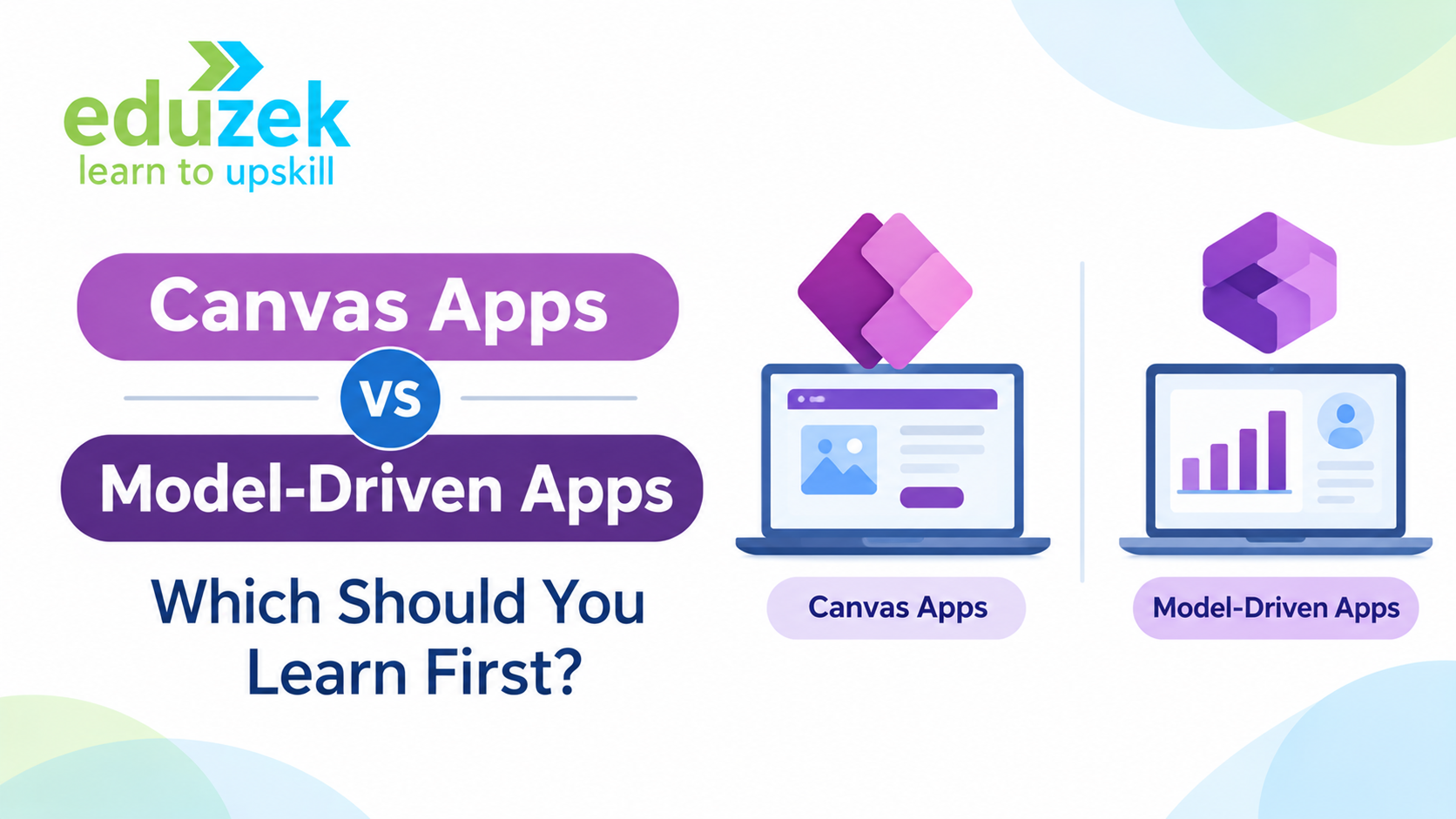
Canvas Apps vs Model-Driven Apps: Which Should You Learn First?
Canvas Apps vs Model-Driven Apps: Which Should You Learn First?
Microsoft Power Apps has made application development more accessible by allowing businesses to create custom business applications without writing extensive traditional code. However, when beginners start exploring Power Apps, one of the first questions they encounter is: What is the difference between Canvas Apps and Model-Driven Apps, and which one should I learn first?
Both are important application development approaches within Microsoft Power Apps. They help organisations digitise business processes, manage information, automate workflows and improve employee productivity. However, they differ significantly in how applications are designed, how data is managed and how users interact with the applications.
Canvas Apps provide greater flexibility over the user interface, allowing developers to design screens and control the user experience. Model-Driven Apps, on the other hand, focus on data, relationships and business processes, with the application interface generated largely from the underlying data model.
Understanding these differences is essential if you want to become a Power Apps developer or build business applications using the Microsoft Power Platform.
In this guide, we will explore Canvas Apps vs Model-Driven Apps, their features, practical applications, advantages, limitations and learning requirements. We will also explain which approach beginners should learn first and how both fit into a Power Apps developer learning roadmap.
1. Introduction to Power Apps Application Types
Microsoft Power Apps is a low-code application development platform that enables users to build custom applications for business requirements.
Instead of developing applications entirely through traditional programming languages, developers can use visual design tools, ready-made controls, connectors and formula-based logic to create functional business applications.
Power Apps primarily provides two approaches to building applications:
- Canvas Apps
- Model-Driven Apps
Both approaches are designed to solve business problems, but they follow different development methods.
For example, consider an organisation that wants to create an employee leave management system.
With a Canvas App, a developer can design a customised interface where employees can submit leave requests, check their leave balance and view approval status.
With a Model-Driven App, the developer can build an application around structured employee and leave request data, using tables, forms, views, relationships and business processes.
The choice depends on the application requirements, data structure, user experience and complexity of the business process.
2. What Are Canvas Apps in Power Apps?
Canvas Apps are applications in Microsoft Power Apps that allow developers to design the user interface by placing controls on a visual canvas.
Developers have significant control over how the application looks and how users interact with it.
You can start with a blank canvas or use an available template and then add different components such as:
- Text boxes
- Buttons
- Dropdown menus
- Labels
- Images
- Forms
- Galleries
- Navigation controls
- Date pickers
- Icons
Each component can be customised according to the application's requirements.
Canvas Apps also use Power Fx, a formula language that helps developers define application behaviour, calculations, conditions and interactions.
For example, a developer can use a formula to display a welcome message:
"Welcome, " & User().FullName
Similarly, a button can be configured to navigate users to another screen, submit a form or trigger an action.
One of the biggest advantages of Canvas Apps is their flexibility. Developers can create interfaces that closely match the organisation's branding, workflow and user experience requirements.
How Do Canvas Apps Work?
Canvas Apps follow a visual, screen-based development approach.
A typical development process involves:
- Creating a new Canvas App.
- Selecting a layout, such as phone or tablet.
- Adding screens based on business requirements.
- Inserting controls such as buttons, forms and galleries.
- Connecting the application to a data source.
- Writing Power Fx formulas to define application logic.
- Testing the application.
- Publishing and sharing it with users.
For example, an employee expense application may contain separate screens for submitting expenses, uploading receipts, checking reimbursement status and viewing previous claims.
The developer decides how these screens are arranged and how users move between them.
Key Features of Canvas Apps
1. Customisable user interface
Developers can control screen layouts, colours, fonts, buttons, navigation and other visual elements.
2. Multiple data connections
Canvas Apps can connect to different data sources, including SharePoint, Excel, Dataverse, SQL Server and other supported services through connectors.
3. Power Fx formulas
Power Fx helps developers implement business logic, calculations, validation, filtering and navigation.
4. Responsive design capabilities
Developers can configure layouts and controls to support different screen sizes and devices. Responsive behaviour may require additional design work.
5. Mobile-friendly applications
Canvas Apps can be designed for mobile devices, tablets and web browsers, depending on the application's configuration and requirements.
6. Integration with Power Automate
Canvas Apps can trigger Power Automate flows to perform tasks such as sending notifications, requesting approvals and updating records.
Common Use Cases of Canvas Apps
Canvas Apps are particularly useful when an organisation requires a customised interface or a focused application for a specific business process.
Examples include:
- Employee attendance applications
- Expense reimbursement systems
- Visitor registration applications
- Customer feedback applications
- Inventory tracking applications
- Field service applications
- Employee onboarding applications
- Inspection and checklist applications
For instance, a manufacturing company can develop a Canvas App that allows employees to record machine inspection details, upload photographs and submit maintenance requests.
The interface can be designed specifically for employees who use tablets or mobile devices on the factory floor.
3. What Are Model-Driven Apps in Power Apps?
Model-Driven Apps are applications built using a data-first approach in Microsoft Power Apps.
Unlike Canvas Apps, where developers manually design the screens, Model-Driven Apps generate much of the user interface based on the underlying data model.
These applications are primarily built using Microsoft Dataverse.
Dataverse stores business information in structured tables and supports relationships, business rules, security and other data management capabilities.
Developers define the data structure, create tables, configure forms and views, establish relationships and organise business processes. Power Apps then uses these components to generate a consistent application experience.
For example, consider a customer relationship management application.
The application may contain:
- Customer information
- Contact details
- Sales opportunities
- Communication history
- Service requests
- Follow-up activities
Instead of designing every screen individually, developers configure the relevant Dataverse tables, forms, views and navigation components.
The platform provides a standard application interface based on these configurations.
How Do Model-Driven Apps Work?
Model-Driven Apps follow a structured development process.
A typical development workflow includes:
- Creating or selecting a Dataverse environment.
- Designing the required tables.
- Defining columns and data types.
- Establishing relationships between tables.
- Creating forms for entering and viewing information.
- Creating views for displaying filtered records.
- Configuring business rules and processes.
- Adding tables and components to the application.
- Configuring security roles and permissions.
- Publishing and testing the application.
The application interface is generated using the components and data structure configured by the developer.
This approach is particularly useful for applications involving multiple related business entities and complex operational processes.
Key Features of Model-Driven Apps
1. Dataverse-based architecture
Model-Driven Apps use Microsoft Dataverse as their primary data platform.
2. Automatic interface generation
The application interface is generated from configured tables, forms, views and other components.
3. Structured data management
Developers can define relationships between different tables and organise business information systematically.
4. Business process flows
Business process flows can guide users through defined stages of a business process.
For example, a sales application may guide employees through lead qualification, opportunity management and deal closure.
5. Security and access management
Dataverse security roles and permissions help control which users can access particular records and perform specific actions.
6. Consistent user experience
Model-Driven Apps provide a standard interface across different business modules, helping users work with structured information.
Common Use Cases of Model-Driven Apps
Model-Driven Apps are suitable for business applications where structured data and process management are important.
Common examples include:
- Customer relationship management systems
- Sales management applications
- Customer service applications
- Case management systems
- Project tracking applications
- Vendor management systems
- Employee information management
- Service request management systems
For example, a customer service organisation can use a Model-Driven App to manage customer complaints.
Employees can access customer records, create service cases, assign cases to departments, update case statuses and track resolution progress.
Since the application is based on structured data and relationships, managing complex business information becomes easier.
4. Canvas Apps vs Model-Driven Apps: Key Differences
Although both application types belong to Microsoft Power Apps, their development approaches are different.
Understanding these differences helps beginners choose the right approach based on their career goals and application requirements.
Here is a detailed comparison:
| Comparison FactorCanvas AppsModel-Driven Apps | ||
| Development approach | Design-first | Data-first |
| Interface design | Highly customisable | Generated from configured components |
| Data platform | Supports multiple data sources | Primarily built on Dataverse |
| Screen layout | Developer controls screen layouts | Platform generates layouts |
| User experience | Flexible and customised | Structured and consistent |
| Power Fx | Used extensively for application logic | Used where supported for specific customisations and logic |
| Forms and galleries | Manually designed and configured | Uses Dataverse forms and views |
| Business processes | Can be implemented using formulas and integrations | Supports business process flows |
| Data relationships | Depends on the connected data source | Dataverse relationships are central |
| Security | Depends on app sharing and underlying data-source permissions | Uses Dataverse security roles and permissions |
| Best suited for | Custom business interfaces | Data-driven business applications |
| Learning requirements | Controls, screens, Power Fx and connectors | Dataverse, tables, relationships, forms and views |
Which Application Type Offers More Flexibility?
Canvas Apps generally offer more flexibility in interface design.
Developers can position controls, customise layouts, define navigation and create application experiences based on specific business requirements.
Model-Driven Apps provide a more standardised interface. Developers can configure forms, views, dashboards and navigation, but they do not have the same level of screen-by-screen design freedom as Canvas Apps.
Therefore, Canvas Apps are often preferred when the user experience needs to be highly customised.
Which Application Type Is Better for Data Management?
Model-Driven Apps have a strong advantage when an application requires structured data management through Dataverse.
Dataverse provides capabilities such as:
- Structured tables
- One-to-many relationships
- Many-to-one relationships
- Many-to-many relationships
- Business rules
- Security roles
- Data validation
- Auditing capabilities, where configured
Canvas Apps can also use Dataverse as a data source. However, the developer has greater responsibility for designing the application interface and implementing the required user interactions.
5. Data Requirements and the Role of Dataverse
Data plays an important role in both Canvas Apps and Model-Driven Apps.
However, the way each application type handles data is different.
Data in Canvas Apps
Canvas Apps can connect to various data sources depending on the application requirements.
Some commonly used sources include:
- SharePoint Lists
- Microsoft Excel
- Microsoft Dataverse
- SQL Server
- Microsoft 365 services
- Other supported third-party platforms
For example, a simple employee registration application may store employee information in a SharePoint List.
The developer can connect the list to the Canvas App, display employee records in a gallery and use a form to add or update information.
Canvas Apps also support Dataverse, making them suitable for applications that require more structured data management.
Data in Model-Driven Apps
Model-Driven Apps use Dataverse as their underlying data platform.
Dataverse allows developers to create tables representing different business entities.
For example, an inventory management application may contain:
Products Table
- Product ID
- Product Name
- Category
- Unit Price
- Stock Quantity
Suppliers Table
- Supplier ID
- Supplier Name
- Contact Number
- Email Address
Purchase Orders Table
- Purchase Order ID
- Supplier
- Order Date
- Total Amount
- Order Status
Relationships can connect these tables to create a structured application.
This approach makes it easier to manage information across different business entities.
Why Should Beginners Learn Dataverse?
Dataverse is an important skill for anyone planning to work extensively with Model-Driven Apps.
Understanding Dataverse helps developers learn how business information is organised, connected and secured.
It also improves their ability to design applications that can support complex business requirements.
For learners planning to become professional Power Apps developers, understanding Dataverse alongside Canvas Apps is a valuable step.
6. User Experience and Customisation: Canvas Apps vs Model-Driven Apps
User experience is another important factor when choosing between Canvas Apps and Model-Driven Apps.
The application should not only perform the required functions but also make it easy for employees to complete their tasks.
User Experience in Canvas Apps
Canvas Apps provide greater control over the visual experience.
Developers can create:
- Custom dashboards
- Personalised navigation menus
- Interactive forms
- Visual data summaries
- Customised buttons and icons
- Mobile-friendly interfaces
- Step-by-step user journeys
For example, a sales team may need a mobile application that displays customer details, sales targets, upcoming meetings and follow-up actions.
A Canvas App can bring these elements together in a customised dashboard.
User Experience in Model-Driven Apps
Model-Driven Apps provide a structured interface based on business data.
Users can navigate between records, view related information, update forms, filter records and access dashboards.
The interface is designed to provide consistency across business operations.
For example, a customer service executive can open a customer record, review related service cases and update the status of an existing complaint.
This structured experience is useful when multiple employees need to work with the same business information.
7. When Should You Use Canvas Apps?
Canvas Apps are a suitable choice when an application requires a customised user experience.
Consider using Canvas Apps in situations such as:
1. Custom mobile applications
When employees need a simple application to complete tasks using mobile devices.
Example: A field employee can use an application to submit inspection reports from different locations.
2. Employee self-service applications
When employees need a straightforward interface to access company services.
Example: Employees can submit leave requests, update personal information or access company announcements.
3. Data collection applications
When businesses need to collect information through customised forms.
Example: A customer feedback application can collect ratings, comments and service-related information.
4. Applications with specific navigation requirements
When users need a carefully designed sequence of screens to complete a task.
Example: A visitor registration application can guide reception staff through visitor details, host selection and check-in.
5. Applications using multiple data sources
When a solution needs to work with supported data sources such as SharePoint, Excel, Dataverse and other services.
Canvas Apps are particularly useful for these scenarios because developers can design the interface around the specific task rather than following a predefined application layout.
8. When Should You Use Model-Driven Apps?
Model-Driven Apps are more suitable when an application involves structured business data, relationships and multiple operational processes.
Consider using Model-Driven Apps in the following situations:
1. Customer relationship management
Businesses can manage customer records, contacts, opportunities and interactions in a structured application.
2. Case management
Customer service teams can create, assign, update and track support cases.
3. Project management
Organisations can manage projects, tasks, resources and related records.
4. Vendor management
Procurement teams can maintain supplier information, purchase records and vendor-related activities.
5. Business process management
Organisations can use business process flows to guide employees through defined stages of a workflow.
Model-Driven Apps are particularly useful when the application requires multiple related tables, role-based access and a consistent interface for different teams.
9. Can Canvas Apps and Model-Driven Apps Be Used Together?
Yes. Organisations can use Canvas Apps and Model-Driven Apps within the same Microsoft Power Platform environment.
In fact, combining both approaches can help businesses create more comprehensive application solutions.
Consider an organisation that wants to build an employee management system.
The organisation may use a Model-Driven App to manage:
- Employee records
- Department information
- Reporting structures
- Employee history
- Administrative records
At the same time, it can create a Canvas App for employees to:
- Submit leave requests
- Update selected personal details
- View announcements
- Access employee services
Both applications can work with shared Dataverse data, subject to appropriate permissions and security configuration.
Another possibility is embedding a Canvas App within a Model-Driven App form to provide a customised experience for a specific business requirement.
For example, an organisation may use a Model-Driven App to manage customer records but embed a Canvas App component to provide a customised product selection experience.
This demonstrates that developers do not always need to choose only one application type.
The best solution depends on the business problem being addressed.
10. Canvas Apps vs Model-Driven Apps: Which Should Beginners Learn First?
For beginners, Canvas Apps are often a good starting point because they provide a visual introduction to application development.
Learners can quickly understand how screens, controls, buttons, forms and galleries work together.
They can also practise Power Fx formulas and learn how applications interact with data sources.
However, this does not mean Model-Driven Apps are less important.
If your goal is to become a professional Power Apps developer, you should eventually understand both approaches.
Why Start with Canvas Apps?
Canvas Apps help beginners develop foundational application-building skills.
You can start with a simple project, such as an employee registration application.
During development, you will learn:
- How to create an application.
- How to add screens.
- How to insert and configure controls.
- How to connect a data source.
- How to create forms.
- How to display records using galleries.
- How to use Power Fx formulas.
- How to validate user inputs.
- How to navigate between screens.
These concepts help you understand the overall application development process.
Why Learn Model-Driven Apps Next?
After understanding Canvas Apps, you can explore Model-Driven Apps and learn how enterprise applications are structured.
You should focus on:
- Dataverse architecture
- Tables and columns
- Data types
- Table relationships
- Forms and views
- Business rules
- Business process flows
- Security roles
- Application configuration
Learning these concepts will help you understand how organisations build data-driven business applications.
Recommended Learning Sequence
| Learning StageWhat to LearnPractical Outcome | ||
| Stage 1 | Power Platform fundamentals | Understand the ecosystem |
| Stage 2 | Canvas Apps fundamentals | Build simple applications |
| Stage 3 | Forms, galleries and controls | Create interactive interfaces |
| Stage 4 | Power Fx | Implement application logic |
| Stage 5 | Data connections | Connect applications to business data |
| Stage 6 | Dataverse | Understand structured data management |
| Stage 7 | Model-Driven Apps | Build data-driven applications |
| Stage 8 | Power Automate | Automate business workflows |
| Stage 9 | Security and deployment | Prepare applications for business use |
| Stage 10 | Practical projects | Develop real-world application skills |
Following this sequence provides a balanced foundation in both application development approaches.
11. Skills Required to Become a Power Apps Developer
If you want to build a career in Power Apps development, learning Canvas Apps and Model-Driven Apps is only one part of the process.
You should also develop an understanding of the broader Microsoft Power Platform.
Here are some important skills to focus on:
1. Canvas App Development
Learn how to design application screens, configure controls, create forms and galleries, and implement navigation.
2. Model-Driven App Development
Understand how to create applications using Dataverse tables, forms, views, dashboards and business processes.
3. Power Fx
Learn how to use formulas for calculations, conditions, filtering, validation and application behaviour.
4. Microsoft Dataverse
Understand tables, columns, relationships, data types, business rules and security.
5. Data Connections and Connectors
Learn how Power Apps connects with SharePoint, Excel, SQL Server, Dataverse and other supported services.
6. Power Automate
Understand how to automate approvals, notifications, record updates and other repetitive business activities.
7. Business Process Understanding
A Power Apps developer should be able to understand business requirements and translate them into application features.
8. Testing and Troubleshooting
Learn how to identify errors, test application behaviour, improve performance and validate business logic.
These skills collectively help you move beyond building simple applications and start developing solutions for real organisational requirements.
12. How Structured Power Apps Training Can Help You Learn Both Approaches
Although Microsoft provides documentation and learning resources, beginners sometimes find it difficult to understand the correct learning sequence.
They may start building applications without understanding data structures, choose unsuitable data sources or struggle with formulas and integrations.
A structured learning programme can help learners understand the platform progressively.
A good Power Apps training programme should ideally cover:
- Introduction to Microsoft Power Platform
- Canvas Apps development
- Controls, forms and galleries
- Power Fx formulas
- Data connections and connectors
- Dataverse fundamentals
- Model-Driven Apps
- Power Automate integration
- Application testing and deployment
- Practical application development
If you want to develop these skills through guided learning, explore Eduzek's Power Apps and Power Automate Training in India.
The programme can be a relevant option for learners who want to understand how Power Apps and Power Automate work together to solve business problems.
Working professionals who need a flexible learning format can also explore Eduzek's Power Apps Courses Online for Working Professionals.
Before enrolling, review the current course curriculum, practical coverage, trainer support and delivery format to ensure that the programme matches your learning requirements.
13. Practical Projects to Understand Canvas Apps and Model-Driven Apps
The best way to understand the differences between these application types is to build practical projects.
Here are some project ideas that can help beginners develop their skills.
Project 1: Employee Leave Management Application
Recommended approach: Canvas App
Create an application where employees can submit leave requests and check their approval status.
Features may include:
- Employee registration
- Leave request submission
- Leave type selection
- Date selection
- Leave history
- Approval status
Skills demonstrated:
- Screen design
- Forms and galleries
- SharePoint or Dataverse integration
- Power Fx formulas
- Power Automate approval workflows
Project 2: Customer Relationship Management Application
Recommended approach: Model-Driven App
Create a structured application to manage customer information and sales activities.
Features may include:
- Customer records
- Contact management
- Sales opportunities
- Follow-up activities
- Customer history
- Sales status tracking
Skills demonstrated:
- Dataverse tables
- Table relationships
- Forms and views
- Business rules
- Security roles
- Business process flows
Project 3: Inventory Management Application
Recommended approach: Canvas App or Model-Driven App
Create an application to manage products, stock quantities and inventory transactions.
Features may include:
- Product registration
- Stock updates
- Inventory search
- Low-stock notifications
- Transaction history
- Supplier information
A Canvas App can provide a customised interface for warehouse employees, while a Model-Driven App can support structured inventory records and related business processes.
Project 4: Customer Service Case Management
Recommended approach: Model-Driven App
Create an application to manage customer complaints and support requests.
Features may include:
- Customer records
- Case creation
- Case assignment
- Priority selection
- Status tracking
- Resolution details
Skills demonstrated:
- Dataverse
- Relationships
- Forms and views
- Security configuration
- Business process flows
Project 5: Visitor Management Application
Recommended approach: Canvas App
Create an application that allows reception staff to register visitors and record their entry and exit details.
Features may include:
- Visitor information
- Contact details
- Host selection
- Check-in time
- Check-out time
- Visit purpose
Skills demonstrated:
- Custom screen design
- Forms
- Dropdown controls
- Data connections
- Power Fx
- Power Automate notifications
Building these projects will help you understand when each application approach is useful and how both can solve different business requirements.
14. Common Mistakes Beginners Should Avoid
When learning Canvas Apps and Model-Driven Apps, beginners often make mistakes that can affect their application development progress.
Here are some common mistakes and ways to avoid them.
Mistake 1: Assuming both application types work in the same way
Canvas Apps and Model-Driven Apps have different development approaches.
Understand their architecture and use cases before choosing one for a project.
Mistake 2: Ignoring Dataverse
Dataverse is particularly important for Model-Driven Apps.
Avoid treating it as just another data source. Learn tables, relationships, columns and security concepts properly.
Mistake 3: Focusing only on interface design
An attractive interface does not necessarily make an application useful.
Understand data structures, business requirements, validation and application logic.
Mistake 4: Ignoring Power Fx
Power Fx is important for implementing logic in Canvas Apps.
Practise formulas regularly instead of relying only on visual controls.
Mistake 5: Not understanding business requirements
Before creating an application, identify the users, business problem, required information and expected outcomes.
Mistake 6: Learning without building projects
Watching tutorials can help you understand concepts, but practical development is essential.
Build small applications and gradually move towards more complex business solutions.
15. Frequently Asked Questions (FAQs)
Q1. What is the main difference between Canvas Apps and Model-Driven Apps?
Canvas Apps follow a design-first approach, where developers have greater control over the user interface. Model-Driven Apps follow a data-first approach, where the interface is generated from Dataverse tables, forms, views and other configured components.
Q2. Are Canvas Apps easier to learn than Model-Driven Apps?
Canvas Apps are often easier for beginners to approach because they provide a visual design environment. However, learners still need to understand controls, data connections and Power Fx formulas.
Model-Driven Apps require an understanding of Dataverse, tables, relationships, forms and views.
Q3. Do Model-Driven Apps require Dataverse?
Yes. Model-Driven Apps are built on Microsoft Dataverse. Dataverse provides the structured data foundation required for these applications.
Q4. Can Canvas Apps connect to Dataverse?
Yes. Canvas Apps can connect to Dataverse as well as other supported data sources, including SharePoint, SQL Server and Excel.
Q5. Can I use Canvas Apps and Model-Driven Apps in the same organisation?
Yes. Organisations can use both application types within the same Power Platform environment. They can also use shared Dataverse data where appropriate permissions and configurations are in place.
Q6. Do I need coding knowledge to learn Power Apps?
You do not need extensive traditional programming knowledge to get started. Power Apps uses visual development tools and Power Fx formulas.
However, understanding logical thinking, data structures and basic programming concepts can make learning easier.
Q7. Which is better for business applications: Canvas Apps or Model-Driven Apps?
Neither is universally better.
Canvas Apps are suitable for customised user experiences, while Model-Driven Apps are useful for structured, data-driven business processes.
The right choice depends on the application's requirements.
Q8. Is Power Fx used in both Canvas Apps and Model-Driven Apps?
Power Fx is used extensively in Canvas Apps. It is also available for certain customisation and logic scenarios in Model-Driven Apps, although the development experience differs.
Q9. Can I become a Power Apps developer by learning only Canvas Apps?
You can start building useful applications with Canvas Apps alone. However, understanding Model-Driven Apps, Dataverse and Power Automate can broaden your capabilities and prepare you for a wider range of business application development requirements.
Q10. How long does it take to learn Canvas Apps and Model-Driven Apps?
The learning time depends on your existing technical knowledge, practice schedule and project complexity.
Beginners can start with simple Canvas Apps and gradually progress towards Dataverse and Model-Driven Apps. Consistent practice with real-world projects is more important than simply completing tutorials.
Conclusion: Which Power Apps Application Type Should You Learn First?
Canvas Apps and Model-Driven Apps are both important parts of Microsoft Power Apps. They provide different approaches to building business applications and solving organisational challenges.
Canvas Apps are a good starting point for beginners who want to understand visual application development, customised interfaces, forms, galleries and Power Fx.
Model-Driven Apps are essential for learners who want to understand structured business applications, Dataverse, relationships, security and business processes.
If your goal is to become a Power Apps developer, learning both approaches is the recommended direction.
Start with the fundamentals, practise building simple Canvas Apps, understand data connections, learn Dataverse and then explore Model-Driven Apps. Once you are comfortable with these concepts, move towards Power Automate integration and more advanced business applications.
With a structured learning approach and consistent project practice, you can develop the skills required to build practical low-code solutions using Microsoft Power Platform.
Explore Eduzek's Power Apps and Power Automate Training in India to learn more about developing your Power Platform skills.
Related Course
Microsoft PowerApps & Power Automate
₹20000 ₹16000
Related Articles
November 21, 2026
November 20, 2026
Power Automate License Types Explained: Which Plan Do You Need?
November 19, 2026