Call us:
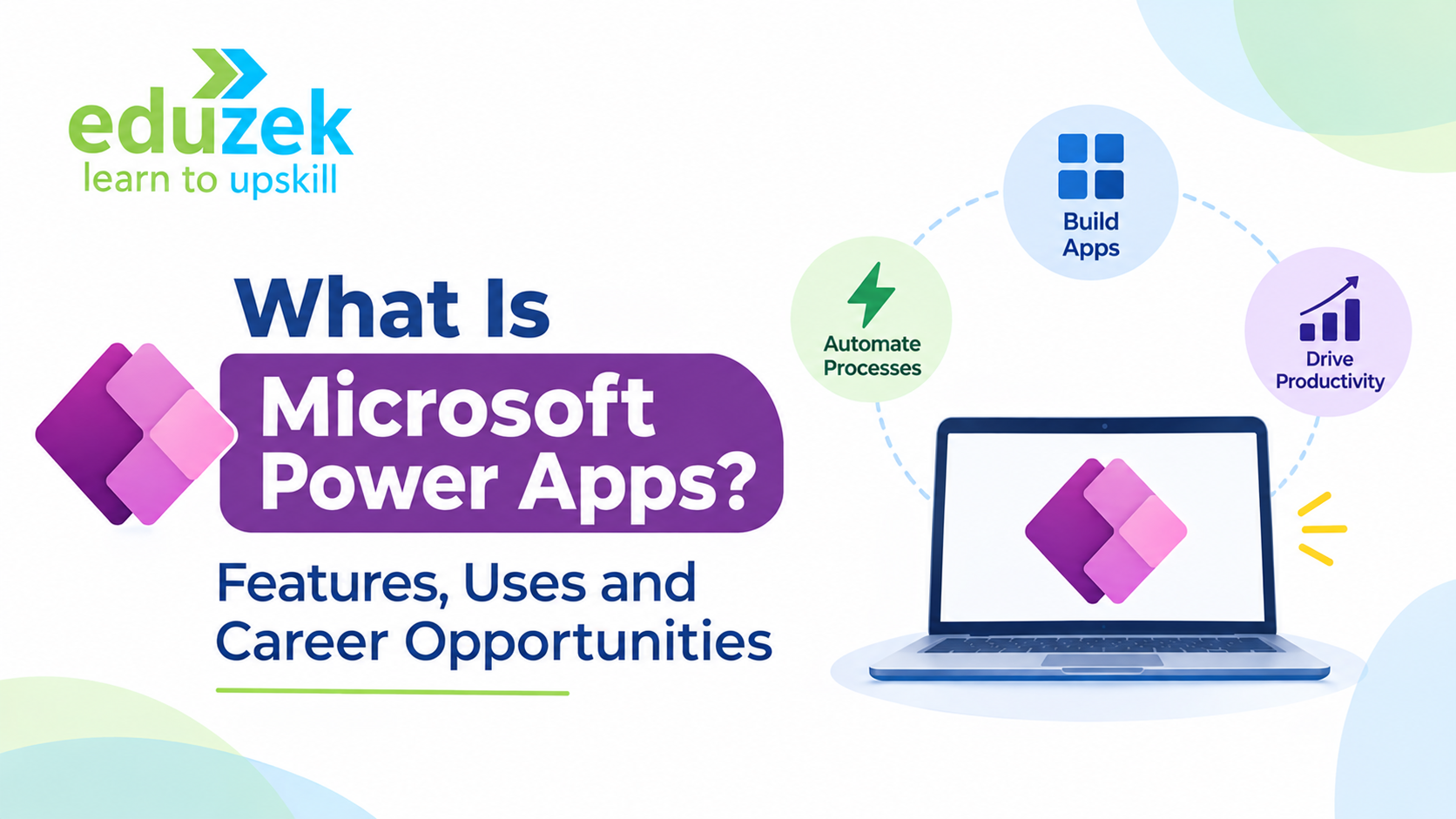
What Is Microsoft Power Apps? Features, Uses and Career Opportunities
What Is Microsoft Power Apps? Features, Uses and Career Opportunities
Businesses today need applications to manage employees, customers, inventory, sales, operations and internal workflows. Traditionally, developing these applications required programming knowledge, dedicated development teams and significant time. However, the growing demand for faster digital solutions has encouraged organisations to adopt low-code application development platforms.
One such platform is Microsoft Power Apps, which enables businesses to create custom applications with minimal traditional coding. It helps organisations digitise manual processes, improve productivity and build business applications that integrate with their existing Microsoft ecosystem.
For professionals looking to enter application development, business automation or digital transformation, learning Microsoft Power Apps can be a valuable career investment.
But what exactly is Microsoft Power Apps? How does it work? What can you build with it, and what skills are required to become a Power Apps developer?
In this guide, we will explore the platform, its features, application types, industry use cases, integrations, benefits, limitations and career opportunities.
1. What Is Microsoft Power Apps?
Microsoft Power Apps is a low-code application development platform that allows users to create custom business applications without writing extensive traditional programming code.
It is part of the Microsoft Power Platform and enables organisations to build applications for web browsers and mobile devices.
Using Power Apps, businesses can develop applications that help employees perform everyday tasks, collect information, manage business operations and access organisational data through a centralised interface.
For example, consider a company that manages employee leave requests through emails and spreadsheets. Employees send leave requests to their managers, HR teams manually update records, and approval status is tracked separately.
With Microsoft Power Apps, the organisation can create an employee leave management application where:
- Employees submit leave requests through a digital form.
- Managers review and approve or reject applications.
- HR teams access employee leave records.
- Employees track their application status.
- Power Automate sends automated notifications and approval emails.
This reduces manual work and creates a more organised process.
How Does Microsoft Power Apps Work?
Power Apps provides a visual development environment where users can create application screens, add controls, connect data sources and define application logic.
The general development process involves:
- Identifying a business problem that requires an application.
- Selecting the appropriate application type.
- Designing screens and user interfaces.
- Connecting the application to a data source.
- Adding formulas and business logic using Power Fx.
- Testing the application.
- Publishing and sharing it with authorised users.
The platform also provides connectors to integrate applications with Microsoft 365 services, SharePoint, Dataverse and other supported systems.
This makes it possible to build useful business applications without developing every component from scratch.
2. Why Did Microsoft Introduce Low-Code Application Development?
Traditional software development can involve several challenges for organisations.
Businesses often need applications for specific internal processes, but developing them from scratch can require considerable time, resources and technical expertise.
Some common challenges include:
- High application development costs.
- Dependence on specialised developers.
- Long development and deployment cycles.
- Difficulty modifying applications when business requirements change.
- Limited integration between existing business systems.
- Increasing demand for digital transformation.
Low-code development addresses many of these challenges by simplifying the application development process.
Microsoft Power Apps was designed to make application development more accessible through visual tools, reusable components, data connectors and formula-based logic.
Key Reasons Businesses Use Low-Code Development
Faster application development
Users can create applications using visual interfaces and prebuilt components instead of writing every part of the application manually.
Reduced development complexity
Low-code platforms simplify many common development activities, including screen design, form creation and data integration.
Better business collaboration
Business analysts, operations teams and developers can collaborate to design applications that address actual organisational requirements.
Integration with existing systems
Applications can connect with existing Microsoft services and supported third-party systems.
Improved operational efficiency
Organisations can replace manual spreadsheets, repetitive data entry and disconnected workflows with structured applications.
Low-code development does not eliminate the need for professional developers. Instead, it allows developers to focus on application architecture, complex business logic, integrations, security and scalability.
3. How Power Apps Fits into Microsoft Power Platform
To understand Power Apps properly, beginners should first understand the Microsoft Power Platform.
Microsoft Power Platform is a collection of business application development and automation tools that help organisations analyse data, automate processes and build digital solutions.
Its major components include:
3.1 Microsoft Power Apps
Power Apps is used to create custom business applications.
Examples include:
- Employee management applications.
- Inventory management systems.
- Customer registration applications.
- Expense management applications.
- Sales tracking applications.
3.2 Microsoft Power Automate
Power Automate helps automate repetitive business processes and workflows.
For example, when an employee submits a leave request through Power Apps, Power Automate can automatically send an approval notification to the manager.
Other examples include:
- Sending automated emails.
- Generating approval requests.
- Updating records between systems.
- Sending reminders.
- Automating document-related processes.
3.3 Microsoft Power BI
Power BI is Microsoft's business intelligence and data visualisation platform.
It allows organisations to analyse data and create interactive dashboards and reports.
For example, a sales team can use Power BI to monitor revenue, sales performance, customer trends and monthly targets.
3.4 Microsoft Power Pages
Power Pages allows organisations to build external-facing business websites and portals.
These portals can be used by customers, suppliers, partners and other external users to access information or submit data.
3.5 Microsoft Copilot Studio
Copilot Studio enables organisations to create and manage conversational agents that can interact with users and help automate business interactions.
How These Components Work Together
The real strength of Microsoft Power Platform comes from combining its different components.
Consider an employee expense management solution:
- Power Apps provides the interface where employees submit expenses.
- Dataverse stores expense records.
- Power Automate routes expenses for approval.
- Power BI displays expense reports and spending trends.
- Copilot Studio may support conversational interactions where appropriate.
This interconnected ecosystem makes Microsoft Power Platform valuable for organisations implementing digital transformation initiatives.
4. Canvas Apps Explained
Canvas Apps are one of the most commonly used application types in Microsoft Power Apps.
They allow developers to design applications by placing controls such as buttons, text fields, forms, galleries, labels and images onto a visual canvas.
Developers have considerable control over the application's appearance, layout and user experience.
Canvas Apps are particularly useful when an organisation requires a customised user interface for a specific business process.
Key Features of Canvas Apps
Visual application design
Developers can arrange controls on screens using a drag-and-drop development experience.
Custom layouts
Applications can be designed according to specific business requirements rather than following a fixed data-driven layout.
Multiple screens
A Canvas App can contain multiple screens for different application functions.
Data integration
Canvas Apps can connect with SharePoint, Dataverse, Excel and other supported data sources.
Formula-based logic
Power Fx allows developers to define how controls behave and how application data is processed.
Example: Employee Leave Management Canvas App
Imagine building a leave management application for an organisation.
The application could contain the following screens:
Screen 1: Login or landing screen
Provides access to the application's main features, depending on the organisation's authentication and access configuration.
Screen 2: Leave request form
Employees enter details such as:
- Employee name.
- Employee ID.
- Leave type.
- Start date.
- End date.
- Reason for leave.
Screen 3: My leave requests
Employees can view previously submitted applications and their approval status.
Screen 4: Manager dashboard
Managers can review pending requests and take appropriate approval actions.
Screen 5: HR dashboard
HR teams can view leave records and monitor employee leave information.
This application demonstrates how Canvas Apps can simplify internal business processes.
When Should You Use Canvas Apps?
Canvas Apps are suitable when:
- You need a highly customised user interface.
- You want to build mobile-friendly business applications.
- Your application requires specific screen layouts.
- You need to connect multiple data sources.
- You want to create task-oriented applications for employees.
5. Model-Driven Apps Explained
Model-driven Apps are another important application type in Microsoft Power Apps.
Unlike Canvas Apps, which focus heavily on designing the user interface, Model-driven Apps are built around a structured data model.
They primarily use Microsoft Dataverse to organise business data.
The application interface is generated using components such as tables, forms, views, charts and business process flows.
This approach is particularly useful for applications that manage complex business information and relationships.
Key Components of Model-Driven Apps
Tables
Tables store business information in a structured format.
For example, a customer management application may contain:
- Customer table.
- Contact table.
- Sales opportunity table.
- Activity table.
Forms
Forms allow users to create, view and update records.
For example, a customer form may contain contact information, address details and account information.
Views
Views display filtered collections of records.
For example, a sales team may use separate views for active customers, pending opportunities and completed deals.
Charts and dashboards
Charts help users understand business data through visual representations.
Business process flows
These help guide users through defined business processes using different stages.
For example, a sales opportunity process may include:
- Lead qualification.
- Requirement analysis.
- Proposal preparation.
- Negotiation.
- Deal closure.
Example: Customer Relationship Management Application
An organisation can use a Model-driven App to manage its customer relationships.
The application may include customer records, communication history, sales opportunities and follow-up activities.
Sales employees can access relevant information through structured forms and views.
Managers can monitor sales activities and track opportunities through dashboards.
When Should You Use Model-Driven Apps?
Model-driven Apps are useful when:
- Your application involves structured and related business data.
- You need standardised forms and views.
- Your business process involves multiple stages.
- You require role-based access and data management.
- Your application needs a consistent interface across different devices.
Canvas Apps vs Model-Driven Apps
Although both application types are part of Power Apps, they serve different development requirements.
| FeatureCanvas AppsModel-Driven Apps | ||
| Development approach | Visual canvas-based design | Data-model-driven design |
| Main focus | User interface customisation | Structured business data |
| Data source | Multiple supported connectors | Primarily Dataverse |
| Interface | Highly customisable | Generated from data components |
| Best suited for | Task-specific applications | Complex business applications |
| Design flexibility | High | Structured and standardised |
Choosing the right application type depends on the business requirement, data structure and user experience needed.
6. Common Features and Capabilities of Microsoft Power Apps
Microsoft Power Apps offers several capabilities that simplify business application development.
Understanding these features helps beginners identify what they can build using the platform.
6.1 Drag-and-Drop Application Development
Power Apps provides visual development tools that allow users to add buttons, text inputs, labels, forms, galleries and other controls.
Developers can arrange these components to create application interfaces.
6.2 Power Fx Formulas
Power Fx is the low-code formula language used in Power Apps.
It allows developers to define application behaviour, calculate values, validate information and manage data.
For example:
Notify("Application submitted successfully", NotificationType.Success)
This formula displays a success notification when an application is submitted.
6.3 Data Connectivity
Power Apps supports connections to different data sources through connectors.
Common examples include:
- SharePoint.
- Microsoft Dataverse.
- Excel.
- SQL Server.
- Microsoft 365 services.
- Other supported business applications.
6.4 Reusable Components
Developers can create reusable components that help maintain consistency across applications.
For example, a company logo, navigation menu or standard header can be reused across multiple screens.
6.5 Responsive Application Development
Canvas Apps support responsive design techniques that help applications adapt to different screen sizes.
Developers can use containers, flexible layouts and appropriate control properties to improve the experience across devices.
6.6 Security and Access Management
Power Apps applications can work with Microsoft identity and security capabilities.
For Dataverse-based applications, security roles and permissions help control what users can access and what actions they can perform.
Access also depends on the connected data source, its permissions and the applicable licensing arrangements.
6.7 Integration with Power Automate
Power Apps can trigger Power Automate flows to automate activities such as notifications, approvals and record updates.
For example, submitting a customer registration form can trigger an automated welcome email.
7. Power Apps Use Cases Across Different Industries
Microsoft Power Apps is not limited to one particular industry. Organisations across different sectors can use it to build applications that address their operational requirements.
Here are some practical examples.
7.1 Healthcare Industry
Healthcare organisations manage patient information, appointments, equipment and administrative activities.
Power Apps can support applications such as:
- Patient appointment management.
- Medical equipment tracking.
- Staff scheduling.
- Internal service request management.
- Administrative data collection.
For example, a hospital can build an equipment tracking application to monitor the availability and maintenance status of medical devices.
Applications involving sensitive patient information must be designed with appropriate privacy, security, regulatory and access controls.
7.2 Manufacturing Industry
Manufacturing organisations often manage production activities, equipment, inventory and quality checks.
Power Apps can support:
- Production monitoring applications.
- Quality inspection forms.
- Inventory management.
- Maintenance request applications.
- Machine inspection checklists.
For example, factory employees can use a mobile application to record equipment inspection details and report maintenance issues.
7.3 Banking and Financial Services
Financial organisations require structured processes for approvals, documentation and internal operations.
Potential Power Apps use cases include:
- Internal expense management.
- Document submission workflows.
- Employee service requests.
- Approval tracking.
- Compliance-related internal checklists.
Any financial or regulated data solution requires appropriate security, governance and compliance review.
7.4 Retail Industry
Retail businesses manage inventory, customer interactions, orders and store operations.
Power Apps can help create:
- Stock management applications.
- Store inspection applications.
- Customer feedback forms.
- Product request applications.
- Sales order tracking systems.
For example, store employees can use a mobile application to update stock information and report low inventory levels.
7.5 Education Industry
Educational institutions manage student information, admissions, registrations and administrative activities.
Power Apps can support:
- Student registration.
- Course enrolment.
- Attendance tracking.
- Faculty management.
- Internal helpdesk applications.
For example, an institution can create an application that allows students to submit requests and track their status.
7.6 Human Resources
HR departments manage employee information and numerous administrative processes.
Common applications include:
- Employee onboarding.
- Leave management.
- Employee feedback.
- Training registration.
- Asset allocation.
- Employee service requests.
These applications can reduce repetitive administrative work and improve information management.
8. Power Apps with SharePoint and Dataverse
One of the most important skills in Power Apps development is understanding how applications connect to data.
An application needs a data source to store and retrieve information.
Two important technologies in this ecosystem are Microsoft SharePoint and Microsoft Dataverse.
8.1 Understanding SharePoint Integration
SharePoint is a Microsoft platform used for document management, collaboration and structured information storage through lists and libraries.
Power Apps can connect to SharePoint lists and use them to store and manage application data.
For example, consider an employee leave management application.
A SharePoint list can contain columns such as:
- Employee ID.
- Employee Name.
- Leave Type.
- Start Date.
- End Date.
- Leave Reason.
- Approval Status.
A Canvas App can connect to this list and allow employees to submit and view leave requests.
SharePoint is often useful for relatively straightforward business applications that work with list-based information.
However, developers should consider data volume, delegation, permissions and application complexity before selecting it as the primary data source.
8.2 Understanding Microsoft Dataverse
Microsoft Dataverse is a cloud-based data platform designed to securely store and manage business data.
It provides structured data storage through tables, columns, relationships and other data management capabilities.
For example, a customer management application may contain:
Customer Table
- Customer ID.
- Customer Name.
- Email.
- Phone Number.
- Address.
Order Table
- Order ID.
- Customer ID.
- Order Date.
- Order Amount.
- Order Status.
Product Table
- Product ID.
- Product Name.
- Product Category.
- Price.
These tables can be connected through relationships.
Dataverse supports capabilities such as:
- Structured data management.
- Table relationships.
- Business rules.
- Role-based security.
- Integration with Power Platform.
- Business process automation.
SharePoint vs Dataverse
| FeatureSharePointDataverse | ||
| Primary purpose | Collaboration and list-based data storage | Structured business data management |
| Data organisation | Lists and libraries | Tables and relationships |
| Relationships | Available through supported list features and application logic | Native relational data capabilities |
| Security | SharePoint permissions | Dataverse security roles and permissions |
| Best suited for | Simpler business applications | More complex business applications |
The choice depends on application requirements, data complexity, security needs, licensing and organisational architecture.
9. Power Apps with Power Automate
Power Apps and Power Automate work together to create more powerful business solutions.
While Power Apps provides the application interface, Power Automate handles workflow automation.
This combination allows organisations to build applications that do more than collect and display information.
How Does the Integration Work?
Consider an employee onboarding application.
An HR employee enters the details of a new employee through Power Apps.
After the form is submitted:
- Power Apps saves the employee information to the connected data source.
- Power Apps triggers a Power Automate flow.
- Power Automate sends a notification to the IT department.
- The IT team receives a request to prepare the employee's laptop and access credentials.
- The manager receives an onboarding notification.
- The relevant teams can track the process.
This creates a connected workflow instead of relying on separate emails and spreadsheets.
Common Power Apps and Power Automate Integration Examples
Approval workflows
Employees submit expense claims through Power Apps, and Power Automate routes them to the appropriate manager.
Automated notifications
Users receive email or other supported notifications when records are created or updated.
Document management
Submitted information can trigger document creation, storage or other document-related activities.
Task assignment
New service requests can automatically generate tasks for the relevant department.
Business process automation
Organisations can connect different applications and automate repetitive activities.
Learning both technologies can help professionals develop more complete business solutions.
10. Benefits of Microsoft Power Apps
Power Apps offers several advantages for organisations and application developers.
10.1 Faster Application Development
The visual development environment simplifies application creation and reduces the need to write extensive traditional code.
10.2 Reduced Development Effort
Reusable controls, connectors and built-in capabilities help reduce repetitive development work.
10.3 Improved Business Productivity
Businesses can replace manual processes with digital applications that improve information collection and workflow management.
10.4 Integration with Microsoft 365
Power Apps works with supported Microsoft services, making it useful for organisations already using Microsoft technologies.
10.5 Mobile and Browser Accessibility
Applications can be accessed through supported web browsers and mobile experiences, depending on the application design and deployment.
10.6 Custom Business Solutions
Organisations can build applications based on their own processes instead of depending entirely on generic software solutions.
10.7 Better Process Visibility
Applications can centralise information and help employees monitor requests, records and business activities.
11. Limitations of Microsoft Power Apps
Although Power Apps offers many benefits, it is important to understand its limitations before developing business applications.
11.1 Licensing Requirements
Different Power Apps capabilities, connectors and data sources may require different licensing arrangements.
Organisations should review Microsoft's current licensing terms before deploying applications.
11.2 Performance Considerations
Applications can experience performance issues when they contain complex formulas, inefficient data operations or poorly designed screens.
Developers need to understand delegation, data loading and application optimisation.
11.3 Customisation Limitations
Although Canvas Apps offer significant design flexibility, certain advanced user interface requirements may require alternative development approaches.
11.4 Data Source Dependencies
Application performance and functionality can depend on the selected data source, connector limitations and network conditions.
11.5 Governance and Security
Organisations need appropriate policies for application access, data sharing, environment management and connector usage.
11.6 Not a Replacement for Every Custom Software Application
Power Apps is highly useful for many business applications, but highly specialised software systems may require traditional development platforms or more advanced architectures.
Understanding when to use Power Apps and when another technology is more suitable is an important professional skill.
12. Skills Required to Learn Microsoft Power Apps
One of the biggest advantages of Power Apps is that beginners do not need extensive programming experience to get started.
However, developing professional applications requires a combination of technical and business skills.
Here are the important skills to develop.
12.1 Understanding Business Processes
Before building an application, developers should understand the problem they are trying to solve.
They should be able to identify:
- Who will use the application.
- What information needs to be collected.
- Which business activities need to be performed.
- What approval processes are required.
- What the expected application output should be.
12.2 Basic Excel Knowledge
Excel knowledge helps beginners understand tables, columns, rows, formulas and structured information.
These concepts are useful when working with application data.
12.3 Understanding Databases
Basic database concepts are important for developing applications that manage structured information.
You should understand tables, columns, records, primary keys and relationships.
12.4 Canvas App Development
Learn how to create screens, add controls, configure forms, build galleries and connect data sources.
12.5 Model-Driven App Development
Understand tables, forms, views, relationships and business process flows.
12.6 Power Fx Formulas
Learn how to write formulas for application logic, calculations, validation and data operations.
Some commonly used functions include:
- If()
- Filter()
- LookUp()
- Search()
- SubmitForm()
- Patch()
- Navigate()
- Notify()
- Set()
12.7 SharePoint and Dataverse
Understand how application data is stored and managed through SharePoint lists and Dataverse tables.
12.8 Power Automate
Learn how to create automated workflows, configure triggers and actions, and integrate flows with Power Apps.
12.9 Application Testing and Deployment
Understand how to test applications, troubleshoot errors, manage permissions and publish applications for users.
Developing these skills provides a foundation for building practical business applications.
13. Career Opportunities After Learning Microsoft Power Apps
As organisations increasingly adopt low-code platforms to improve business processes, professionals with Power Platform skills can explore different career opportunities.
Power Apps is relevant to application development, business automation, enterprise operations and digital transformation.
Here are some roles associated with these skills.
13.1 Power Apps Developer
A Power Apps Developer designs, builds and maintains business applications using Canvas Apps and Model-driven Apps.
Typical responsibilities include:
- Understanding business requirements.
- Designing application interfaces.
- Connecting applications to data sources.
- Developing Power Fx formulas.
- Integrating Power Automate workflows.
- Testing and maintaining applications.
13.2 Power Platform Developer
A Power Platform Developer works across multiple Microsoft Power Platform technologies.
Responsibilities may include:
- Building Power Apps applications.
- Developing Power Automate workflows.
- Working with Dataverse.
- Integrating business systems.
- Managing application environments.
- Implementing security and governance practices.
13.3 Business Application Developer
Business Application Developers create solutions that support organisational processes.
They may work on employee management, inventory, customer operations, service requests and other internal applications.
13.4 Power Platform Consultant
Power Platform Consultants help organisations identify business requirements and recommend appropriate low-code solutions.
Their responsibilities may include:
- Analysing business processes.
- Recommending Power Platform solutions.
- Designing application architecture.
- Guiding implementation.
- Supporting user adoption.
13.5 Business Process Automation Specialist
Professionals with Power Apps and Power Automate knowledge can also work on business process automation.
They identify repetitive activities and develop automated workflows to improve operational efficiency.
Career Growth Opportunities
With experience, professionals can progress towards roles involving:
- Power Platform Solution Architecture.
- Enterprise Application Development.
- Digital Transformation Consulting.
- Business Automation Architecture.
- Technical Leadership.
Career progression depends on practical experience, technical expertise, project exposure and the ability to solve business problems.
14. How to Get Started with Microsoft Power Apps: A Beginner's Learning Roadmap
If you are new to Microsoft Power Apps, following a structured learning roadmap can make the learning process easier.
Instead of trying to understand every feature at once, start with the fundamentals and gradually move towards practical application development.
Step 1: Understand Microsoft Power Platform
Start by learning about Power Apps, Power Automate, Power BI, Power Pages and Dataverse.
Understand the purpose of each component and how they work together.
Step 2: Explore the Power Apps Environment
Familiarise yourself with the Power Apps development environment.
Understand how to create applications, add screens, configure controls and work with application properties.
Step 3: Learn Canvas Apps
Begin with simple Canvas Apps.
Build basic applications such as:
- Contact management applications.
- Employee information forms.
- Customer feedback applications.
- Simple task tracking applications.
Focus on screens, controls, forms and galleries.
Step 4: Understand Power Fx
Learn the formulas used to control application behaviour.
Start with basic functions such as If(), Filter(), LookUp(), Navigate() and SubmitForm().
Gradually explore more advanced data operations.
Step 5: Learn Data Connections
Connect your applications to SharePoint lists, Excel and Dataverse.
Understand how records are created, retrieved, updated and deleted.
Step 6: Explore Model-Driven Apps
Learn how to create Dataverse tables, establish relationships, configure forms and build views.
Understand how structured business applications are developed.
Step 7: Learn Power Automate Integration
Create workflows that work with your Power Apps applications.
Start with automated notifications and approval processes.
Step 8: Build Practical Applications
Apply your knowledge by developing complete business applications.
Try projects such as employee leave management, inventory tracking, expense management and customer feedback applications.
Step 9: Understand Security and Deployment
Learn how to manage application access, configure permissions, test applications and publish solutions.
Step 10: Build a Portfolio
Document your projects, explain the business problems they solve and demonstrate the technologies used.
A portfolio can help you showcase your practical skills during interviews and professional discussions.
15. Should You Join a Structured Power Apps Training Program?
Beginners can learn Power Apps through Microsoft's documentation, tutorials, videos and practical experimentation.
However, self-learning may become challenging when you move beyond basic applications.
Some common difficulties include:
- Understanding which features to learn first.
- Selecting the correct data source.
- Writing complex Power Fx formulas.
- Troubleshooting application errors.
- Understanding Dataverse relationships.
- Integrating Power Apps with Power Automate.
- Learning application security and deployment.
A structured training program can help learners follow a planned learning sequence and gain practical exposure to application development.
If you want to develop these skills with guided learning, explore Eduzek's Power Apps and Power Automate Training in India.
A structured learning approach can help you understand the platform, practise application development and gain a better understanding of how Power Apps is used in business environments.
Power Apps Training for Working Professionals
Working professionals often need a learning format that fits around their existing job responsibilities.
Online training can provide flexibility while helping learners develop technical skills alongside their professional commitments.
If you are currently employed and want to explore low-code application development, you can also check out Eduzek's Power Apps Courses Online for Working Professionals.
Before enrolling in any training program, review its curriculum, practical learning approach, trainer support, project exposure and schedule to ensure it matches your learning requirements.
16. Frequently Asked Questions About Microsoft Power Apps
Q1. What is Microsoft Power Apps used for?
Microsoft Power Apps is used to create custom business applications with minimal traditional coding. Businesses use it for employee management, inventory tracking, expense management, customer feedback, approvals and other operational processes.
Q2. Is Microsoft Power Apps easy to learn for beginners?
Yes. Beginners can start learning Power Apps without extensive programming knowledge. However, understanding business processes, data management, Power Fx and application development concepts is important for building professional applications.
Q3. Do I need coding knowledge to learn Power Apps?
No extensive coding knowledge is required to get started. Power Apps uses a low-code development approach and Power Fx formulas. However, basic programming and logical thinking can help when developing complex applications.
Q4. What is the difference between Canvas Apps and Model-Driven Apps?
Canvas Apps provide greater control over the user interface and allow developers to design screens visually. Model-Driven Apps are built around structured data models and primarily use Dataverse to generate application interfaces.
Q5. Is Microsoft Power Apps part of Microsoft 365?
Power Apps is part of Microsoft Power Platform. Certain Power Apps capabilities may be available through qualifying Microsoft 365 subscriptions, while other features require additional licensing. Availability depends on the applicable subscription and licensing terms.
Q6. Can Power Apps connect with Excel?
Yes. Power Apps supports connections to Excel data through supported connectors and configurations. However, Excel is not always the best choice for complex or high-volume business applications.
Q7. What is the difference between Power Apps and Power Automate?
Power Apps is primarily used to build business applications, while Power Automate is used to automate workflows and repetitive business activities. Both can work together to create connected business solutions.
Q8. What is Microsoft Dataverse in Power Apps?
Microsoft Dataverse is a cloud-based data platform used to securely store and manage structured business information. It supports tables, relationships, security roles and integration with Microsoft Power Platform.
Q9. Can I get a job after learning Power Apps?
Learning Power Apps can help you explore opportunities such as Power Apps Developer, Power Platform Developer, Business Application Developer and Power Platform Consultant. Job opportunities depend on your practical experience, technical knowledge and overall skill set.
Q10. How long does it take to learn Microsoft Power Apps?
The learning duration depends on your previous technical experience, available study time and the complexity of applications you want to build. Beginners can start with basic applications and gradually develop the skills required for more advanced business solutions.
Q11. Is Power Apps a good career option?
Power Apps can be a useful career skill for professionals interested in low-code development, business automation and digital transformation. Its relevance is particularly strong in organisations using Microsoft technologies.
Q12. Where can I learn Microsoft Power Apps?
You can begin with Microsoft's official learning resources, documentation and practical exercises. You can also consider structured training programs that provide a planned curriculum, trainer guidance and application development practice.
Conclusion
Microsoft Power Apps has made business application development more accessible by providing a low-code platform for creating customised applications.
From employee management and inventory tracking to customer relationship management and business automation, the platform offers several possibilities for organisations looking to improve their operations.
Understanding Canvas Apps, Model-Driven Apps, Dataverse, Power Fx, data connectors and Power Automate integration provides a strong foundation for developing business applications.
For beginners, the best approach is to start with the fundamentals, build simple applications and gradually work towards more complex business solutions.
For professionals looking to expand their technical skills, learning Microsoft Power Apps can open opportunities in low-code development, business application development and the broader Microsoft Power Platform ecosystem.
Start learning, build practical applications and take the next step towards becoming a skilled Power Apps developer with Eduzek.
Related Course
Microsoft PowerApps & Power Automate
₹20000 ₹16000
Related Articles
November 20, 2026
November 19, 2026