Call us:
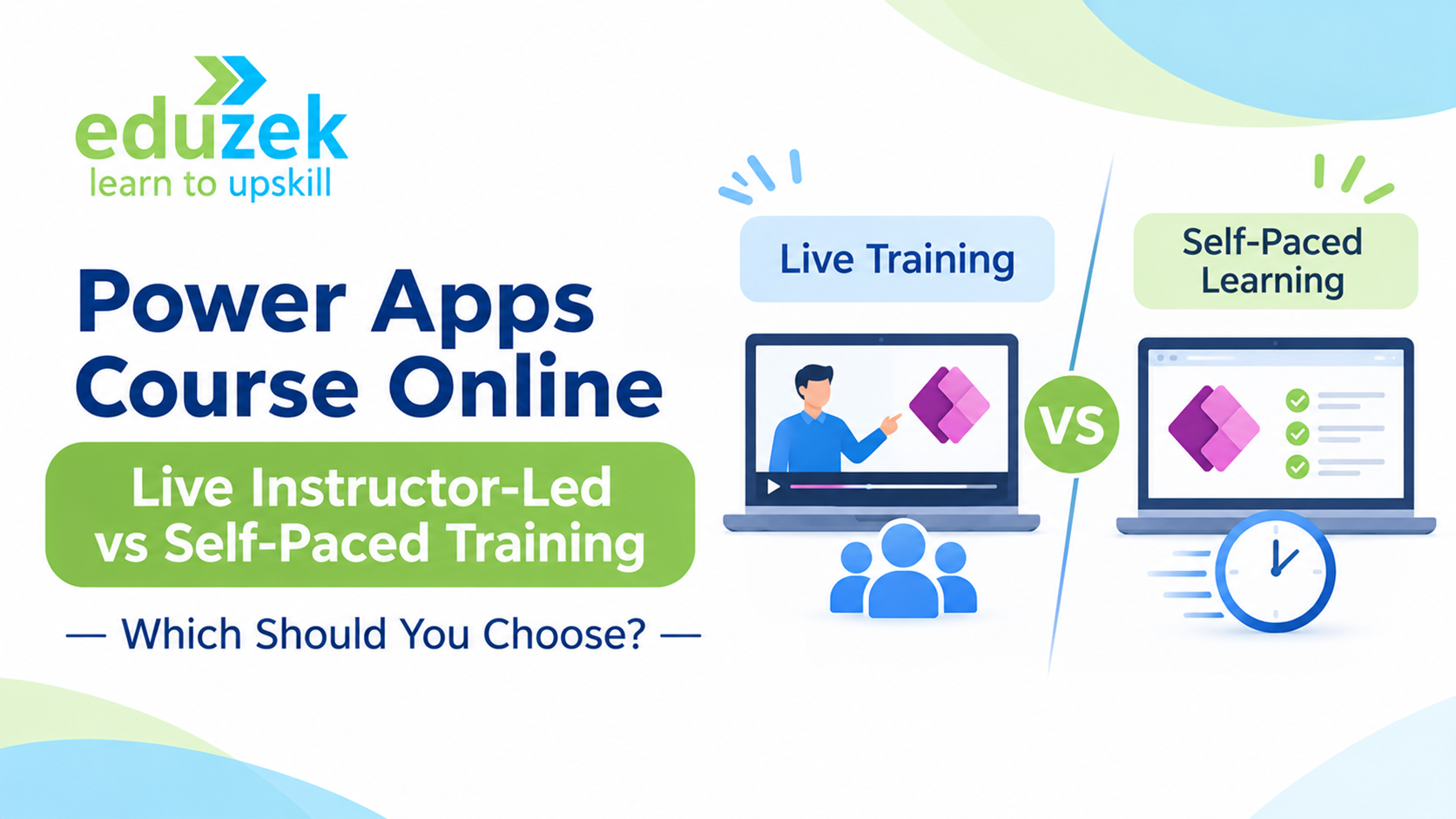
Power Apps Online Learning: Live Instructor-Led vs Self-Paced Training — Which Should You Choose?
Power Apps Online Learning: Live Instructor-Led vs Self-Paced Training — Which Should You Choose?
Microsoft Power Apps has become an important tool for businesses looking to develop applications, automate processes and improve operational efficiency without relying entirely on traditional software development. From building employee management applications to creating approval systems and business dashboards, Power Apps helps organisations develop solutions using a low-code approach.
As organisations increasingly adopt Microsoft Power Platform, the demand for professionals who understand Power Apps development is also growing. This has encouraged students, working professionals, business analysts and IT employees to explore online Power Apps training.
However, choosing the right learning format can be challenging. Should you enrol in a self-paced Power Apps course that allows you to learn whenever you want? Or should you choose live instructor-led training where you can interact with a trainer, ask questions and work through practical exercises?
Both approaches have advantages, but they suit different learning preferences, schedules and experience levels.
In this guide, we will compare live instructor-led and self-paced Power Apps training, explain their benefits and limitations, and help you decide which online learning format is appropriate for your career goals.
1. Why Are Learners Choosing Online Power Apps Training?
Online learning has made technical training more accessible. Instead of travelling to a physical training centre, learners can develop new technical skills from their homes or workplaces.
For professionals interested in Microsoft Power Platform, online Power Apps training offers an opportunity to understand application development while managing existing responsibilities.
There are several reasons why learners prefer online Power Apps courses.
Flexibility and Convenience
One of the biggest advantages of online learning is flexibility. Learners can attend classes or access learning materials without travelling to a training location.
This is particularly useful for working professionals who need to balance their jobs, personal responsibilities and professional development.
Access to Technical Training
Online courses allow learners from different cities and locations to access structured technical education.
Someone living in a smaller city can explore Power Apps training without necessarily relocating or travelling to a major IT hub.
Learning Practical Business Applications
Power Apps is a practical technology. Understanding its features requires more than reading documentation or watching demonstrations.
Learners need to understand how to create screens, configure controls, connect data sources, write Power Fx formulas and build applications around business requirements.
A well-planned online course should provide opportunities to practise these concepts.
Developing Career-Relevant Skills
Power Apps knowledge can be useful for several professional roles, including:
- Power Platform Developer
- Business Application Developer
- Business Analyst
- Microsoft 365 Administrator
- Application Support Specialist
- Automation Consultant
- IT Professional
Online learning provides a convenient way to begin developing the technical skills associated with these roles.
2. What Is Self-Paced Power Apps Learning?
Self-paced learning is a training approach where learners access pre-recorded lessons, tutorials, documentation and other learning materials and complete them according to their own schedules.
In a self-paced Power Apps course, the learner decides when to start a lesson, how much time to spend on a topic and when to revisit previously covered concepts.
For example, a learner may study Power Apps fundamentals on Monday, practise building a Canvas App on Wednesday and explore Power Fx formulas over the weekend.
The learning schedule is largely controlled by the individual.
How Does a Self-Paced Power Apps Course Work?
A typical self-paced learning programme may include:
- Recorded video lessons covering Power Apps concepts.
- Step-by-step demonstrations of application development.
- Learning resources and technical documentation.
- Practice exercises and assignments, where provided.
- Sample applications and implementation examples.
- Revision materials for previously covered topics.
The learner follows the available content and progresses through the course independently.
Who Should Consider Self-Paced Learning?
Self-paced learning may be suitable for:
- Working professionals with unpredictable schedules.
- Students who prefer independent learning.
- IT professionals who already understand application development.
- Learners who want to explore Power Apps before enrolling in structured training.
- Individuals who are comfortable troubleshooting technical problems independently.
However, the effectiveness of self-paced learning depends significantly on the learner's discipline and ability to apply concepts without continuous guidance.
3. Benefits and Limitations of Recorded Power Apps Courses
Recorded courses are popular because they offer flexibility and allow learners to revisit lessons whenever required.
However, it is important to understand both their advantages and limitations before choosing this learning format.
Benefits of Recorded Courses
1. Learn According to Your Schedule
You do not need to attend classes at a fixed time. You can study early in the morning, during weekends or after completing your professional responsibilities.
2. Revisit Difficult Concepts
Suppose you are learning how to configure galleries, forms or conditional logic in Power Apps.
If you do not understand a particular demonstration, you can replay the lesson and review the steps.
This is useful when learning technical concepts that require repeated practice.
3. Control Your Learning Speed
Some learners understand technical concepts quickly, while others need additional time.
Recorded lessons allow learners to pause, revise and progress according to their understanding.
4. Convenient for Busy Professionals
People managing full-time jobs, family responsibilities or multiple commitments may find recorded learning easier to accommodate.
Limitations of Recorded Courses
Despite these advantages, self-paced learning has certain limitations.
1. Limited Real-Time Interaction
Recorded lessons cannot immediately respond to questions that arise while you are developing an application.
You may need to search documentation, online communities or discussion forums to find solutions.
2. Difficulty Troubleshooting Practical Issues
Power Apps development involves configuring data connections, managing permissions, writing formulas and handling application errors.
A small configuration mistake can sometimes affect the entire application.
Without direct guidance, identifying the cause may take considerable time.
3. Lack of Immediate Feedback
Watching someone build an application does not necessarily mean you can develop the same application independently.
You may understand the demonstration but struggle when applying the concept to a different business requirement.
4. Requires Strong Self-Discipline
Without scheduled sessions or learning milestones, it can become difficult to maintain consistency.
Some learners start a course enthusiastically but struggle to complete it because there is no structured accountability.
5. Practical Understanding May Remain Limited
If the course focuses primarily on demonstrations without sufficient exercises, learners may understand the interface but lack confidence in building applications independently.
Therefore, when choosing a recorded Power Apps course, check whether it includes practical exercises, assignments and opportunities to clarify doubts.
4. What Is Live Instructor-Led Online Power Apps Training?
Live instructor-led training involves attending scheduled online sessions conducted by a trainer.
Instead of watching only pre-recorded videos, learners participate in interactive classes where concepts are explained, demonstrated and discussed.
The trainer can demonstrate how Power Apps works, explain application development concepts and address questions raised by participants.
For beginners, this format can make technical learning easier because they can seek clarification while following the lessons.
How Does Live Online Training Work?
A typical live instructor-led learning experience may include:
- Scheduled online training sessions.
- Explanation of Power Apps concepts by an instructor.
- Live demonstrations of application development.
- Opportunities to ask questions.
- Guided practical exercises, depending on the programme.
- Discussion of application development challenges.
- Feedback on assignments or exercises, where included.
The exact structure depends on the training provider and course design.
Who Should Consider Live Instructor-Led Training?
This learning format may be particularly useful for:
- Beginners with limited technical experience.
- Professionals transitioning into Power Platform development.
- Business analysts learning application development.
- Employees who need structured learning.
- Learners who prefer interactive explanations.
- Individuals who want guidance while working on practical exercises.
A trainer can help explain not only which feature to use but also why a particular approach is appropriate for a business requirement.
5. Why Is Trainer Interaction Important When Learning Power Apps?
Power Apps is a hands-on technology. Understanding its concepts requires practical implementation.
A learner may understand how to insert a button into an application, but building an application that performs a specific business function requires additional knowledge.
For example, consider an employee leave management application.
The application may require:
- An employee submission form.
- Employee information stored in a data source.
- Leave type selection.
- Date validation.
- Approval functionality.
- Status tracking.
- Notifications to relevant stakeholders.
A beginner may find it difficult to understand how all these components work together.
This is where trainer interaction can be useful.
Clarifying Technical Concepts
A trainer can explain topics such as:
- Canvas Apps and Model-driven Apps.
- Power Apps controls and properties.
- Forms and galleries.
- Dataverse tables and relationships.
- Power Fx formulas.
- Data connections and connectors.
- Power Automate integration.
Instead of spending excessive time searching for explanations, learners can ask questions during the session.
Understanding Different Implementation Approaches
There may be multiple ways to implement a particular application requirement.
For example, a learner may want to filter records in a gallery based on a selected department.
An instructor can explain the relevant Power Fx functions and demonstrate how filtering logic works.
This helps learners develop problem-solving skills rather than simply memorising steps.
Learning from Practical Examples
Trainers with relevant industry experience may also explain how Power Apps is used in business environments.
Examples can help learners understand how application development concepts relate to actual organisational requirements.
However, the quality of this learning experience depends on the trainer's expertise and the practical depth of the programme.
6. How Are Doubts and Technical Issues Resolved?
One of the most important differences between live and self-paced learning is how technical doubts are handled.
While learning Power Apps, beginners may encounter several challenges.
For example:
- A SharePoint connection is not working.
- A form is not submitting records correctly.
- A Power Fx formula is returning an error.
- A gallery is not displaying the expected information.
- A Power Automate flow is failing.
- Users are unable to access an application.
- Application permissions are not configured correctly.
These issues are common during practical development.
Doubt Resolution in Self-Paced Learning
In self-paced learning, learners generally troubleshoot problems independently.
They may use:
- Microsoft Learn documentation.
- Power Apps community discussions.
- Online tutorials.
- Technical blogs.
- Discussion forums.
- Search engines and developer communities.
This approach can develop independent research skills, but finding the correct solution may take time.
Doubt Resolution in Live Instructor-Led Learning
In an interactive training environment, learners may be able to explain their problems directly to the instructor.
Depending on the training programme, the trainer may demonstrate the correct configuration, explain the error and suggest ways to resolve it.
This can make learning more efficient, especially for beginners who are unfamiliar with debugging.
Before enrolling in any live online Power Apps course, ask whether doubt-resolution support is included and whether learners can get assistance outside scheduled sessions.
7. Why Do Practical Exercises Matter in Power Apps Training?
Power Apps is not a technology that can be mastered through theoretical learning alone.
A learner may understand what a Canvas App is, but that does not automatically mean they can develop a functional application.
Practical exercises help bridge the gap between understanding a feature and implementing it.
Important Practical Areas to Explore
1. Building Canvas Apps
Learn how to create applications using screens, labels, buttons, text inputs, forms and galleries.
2. Working with Forms
Understand how to create forms for entering, editing and displaying records.
3. Connecting Data Sources
Practise connecting applications to SharePoint, Excel and other supported data sources.
4. Writing Power Fx Formulas
Learn how to use functions such as:
- If()
- Filter()
- LookUp()
- Search()
- SubmitForm()
- Patch()
- Navigate()
- Set()
These functions help implement application logic and manage user interactions.
5. Working with Dataverse
Understand how tables, columns and relationships organise business data.
6. Integrating Power Automate
Explore how applications can trigger automated workflows for notifications, approvals and other business processes.
Why Hands-On Practice Makes a Difference
Consider an employee onboarding application.
Instead of only watching a demonstration, learners should ideally practise creating an application that captures employee information, stores records, displays submitted data and supports relevant workflow requirements.
This approach helps learners understand how individual Power Apps features work together.
When evaluating a Power Apps course online, check whether practical implementation is a meaningful part of the learning experience.
8. Importance of Live Project Guidance
Practical exercises help learners understand individual features, while projects help them combine multiple concepts into a complete application.
This distinction is important when preparing for real-world development responsibilities.
A project-based learning approach can introduce learners to the different stages of application development.
Understanding Business Requirements
Before creating an application, developers need to understand the problem they are solving.
For example, a business may want to replace a manual employee expense submission process with a digital application.
The developer needs to identify:
- Who will use the application?
- What information needs to be collected?
- Where should the information be stored?
- Who approves expense requests?
- What happens after approval?
- What information should users be able to view?
Designing the Application
The next step involves planning the application structure.
This may include identifying screens, forms, controls, data sources and user interactions.
Developing Application Logic
Power Fx formulas can be used to implement validation, conditional visibility, filtering and other application behaviours.
Connecting Data and Workflows
Depending on the requirements, the application may connect with SharePoint or Dataverse and use Power Automate for workflow automation.
Testing the Application
The completed application should be tested to ensure that records are submitted correctly, business rules work as expected and users can access the required functionality.
Project guidance can help learners understand this complete development process.
When choosing training, ask whether project guidance, code reviews or individual feedback are included rather than assuming that every course provides these features.
9. Flexibility for Working Professionals: Which Format Is Better?
Working professionals often have different learning requirements compared with full-time students.
They may have fixed working hours, unpredictable meetings, travel commitments and personal responsibilities.
Therefore, flexibility becomes an important factor when selecting an online Power Apps course.
Self-Paced Learning for Working Professionals
Self-paced training can be convenient for professionals who cannot commit to fixed class timings.
They can:
- Study after working hours.
- Complete lessons during weekends.
- Pause learning during busy periods.
- Revisit technical topics when required.
- Progress according to their availability.
However, maintaining a consistent learning schedule requires discipline.
Live Instructor-Led Learning for Working Professionals
Live online training offers a more structured learning experience.
Professionals can reserve specific time slots for learning and follow a planned curriculum.
The advantage is that they have an opportunity to interact with the instructor and learn alongside other participants.
However, fixed session timings may become challenging when work schedules change.
Which Format Offers Better Flexibility?
Neither format is automatically better.
Self-paced learning offers greater control over when you study, while live instructor-led training offers a scheduled learning structure and opportunities for interaction.
The right choice depends on your professional commitments, learning preferences and the availability of suitable class timings.
For additional guidance on learning alongside professional responsibilities, explore Eduzek's Power Apps Courses Online for Working Professionals.
10. What Should You Check Before Selecting an Online Power Apps Course?
Before enrolling in a Power Apps course online, evaluate the training programme carefully.
A course should provide a clear understanding of what you will learn, how the training is delivered and what kind of practical exposure is available.
Here are some important factors to consider.
1. Curriculum Coverage
Check whether the curriculum covers the essential areas of Power Apps.
A comprehensive learning path should ideally introduce:
- Microsoft Power Platform fundamentals.
- Canvas Apps.
- Model-driven Apps.
- Power Apps controls and forms.
- Galleries and application navigation.
- Power Fx formulas.
- Dataverse fundamentals.
- Data sources and connectors.
- Power Automate integration.
- Application testing and deployment concepts.
The exact depth of coverage will depend on the course level.
2. Trainer Experience
Understand the trainer's background and experience with Microsoft Power Platform.
Ask whether the instructor has practical experience developing or implementing business applications.
3. Training Format
Confirm whether the course is live instructor-led, recorded or a combination of both.
Understand the session schedule and whether recordings are available for revision.
4. Practical Learning Opportunities
Check whether the course includes hands-on demonstrations, assignments and application development exercises.
Practical exposure is important for building confidence.
5. Doubt Resolution
Ask how technical doubts are addressed.
Find out whether learners can ask questions during classes and whether additional support is available when they encounter problems.
6. Project Exposure
Understand whether the programme includes practical projects and whether learners receive guidance while implementing them.
7. Learning Support
Check what happens if you miss a class, need additional revision or require clarification on a difficult topic.
8. Course Suitability
A course designed for complete beginners may differ significantly from one intended for professionals who already have experience with Microsoft technologies.
Choose a programme that matches your existing knowledge and learning objectives.
11. Questions to Ask a Training Institute Before Enrolling
Before selecting an online Power Apps training programme, ask the training provider a few important questions.
These questions can help you understand the actual learning experience rather than making a decision based only on course advertisements.
About the Curriculum
- Does the course cover both Canvas Apps and Model-driven Apps?
- Will I learn Dataverse and Power Fx?
- Does the curriculum include Power Automate integration?
- Are data connections and connectors covered?
About the Trainer
- Who will conduct the training sessions?
- Does the trainer have practical Power Platform experience?
- Will the trainer demonstrate application development?
About Practical Learning
- Are hands-on exercises included?
- Will I get opportunities to build applications?
- Is project guidance provided?
- Will assignments be reviewed?
About Training Support
- How can I clarify doubts during the course?
- Are recorded sessions available?
- What happens if I miss a live session?
- Is support available after the training?
About Course Delivery
- What is the total training duration?
- What are the class timings?
- Are the sessions suitable for working professionals?
- What are the system and software requirements?
- What are the course fees and payment terms?
Getting clear answers to these questions will help you compare different Power Apps training programmes more effectively.
12. Live Instructor-Led vs Self-Paced Power Apps Training: A Comparison
Both formats can help learners develop Power Apps knowledge, but their learning experiences are different.
| Comparison FactorSelf-Paced LearningLive Instructor-Led Learning | ||
| Schedule | Flexible | Fixed session timings |
| Learning speed | Learner-controlled | Based on class progression |
| Trainer interaction | Generally limited | Real-time interaction |
| Doubt resolution | Mostly independent | Opportunity to ask the instructor |
| Practical demonstrations | Pre-recorded | Live demonstrations |
| Feedback | Depends on course support | May be available during training |
| Accountability | Self-managed | Supported by scheduled classes |
| Revision | Replay available lessons | Recordings may be available |
| Best suited for | Independent learners | Learners who prefer guidance |
The comparison highlights that the best format depends on the learner's requirements.
Someone with prior technical experience may be comfortable learning independently, whereas a beginner may benefit from structured instruction and opportunities to clarify doubts.
13. How to Choose the Right Learning Format Based on Your Experience and Schedule
Your current technical knowledge, career objectives and available study time should influence your decision.
Here are some common learning scenarios.
Scenario 1: You Are Completely New to Power Apps
If you have never worked with Power Apps, understanding its interface, controls, data connections and formulas may initially feel challenging.
A live instructor-led course can help you understand these concepts through guided demonstrations and interactive explanations.
You can also explore Microsoft Learn before enrolling to become familiar with the platform.
Scenario 2: You Already Work with Microsoft 365
If you regularly use SharePoint, Excel, Teams or other Microsoft 365 tools, you may already understand some of the concepts used in Power Apps.
Self-paced learning can help you explore the platform independently.
However, structured training may still be useful when you want to develop more advanced application development skills.
Scenario 3: You Are a Working Professional with Limited Time
If your schedule changes frequently, recorded lessons may offer greater convenience.
If you can reserve specific hours every week, live training may provide a more organised learning experience.
You should also check whether class recordings or alternative support arrangements are available.
Scenario 4: You Want to Build Practical Applications
If your primary goal is to develop functional business applications, prioritise a course that includes practical exercises and project-based learning.
Trainer guidance can be especially useful when working with data connections, application logic and workflow integration.
Scenario 5: You Want to Transition into Power Platform Development
If you are planning to move into a Power Platform-related role, consider a structured learning programme that covers the complete application development process.
You should understand not only how to use Power Apps features but also how to translate business requirements into working applications.
For learners looking for a structured learning path, Eduzek's Power Apps and Power Automate Training in India is worth exploring.
Review the course curriculum, delivery format and available practical learning support to determine whether it matches your requirements.
14. Is a Combination of Live and Self-Paced Learning Better?
Some learners may benefit from combining both learning formats.
This approach allows them to receive structured instruction while retaining the flexibility to revise concepts independently.
For example, a learner may attend live classes to understand Canvas Apps, Dataverse and Power Fx.
After the session, they can revisit the concepts through recordings, documentation and practical exercises.
A blended learning approach can offer several advantages:
- Structured introduction to technical concepts.
- Opportunities to interact with an instructor.
- Flexibility to revise difficult topics.
- Additional time for independent practice.
- Better opportunities to reinforce learning.
However, the effectiveness of this approach depends on how well the live sessions, learning materials and practical exercises are organised.
Before choosing a blended programme, check exactly which resources and support options are included.
15. Final Verdict: Which Power Apps Online Learning Format Should You Choose?
Choosing between live instructor-led and self-paced Power Apps training is ultimately a decision based on your learning preferences, technical background and professional commitments.
Self-paced training is a suitable option if you are comfortable learning independently, managing your schedule and troubleshooting technical problems.
Live instructor-led training may be more suitable if you prefer structured learning, trainer interaction, guided demonstrations and opportunities to clarify doubts.
For beginners, a guided learning environment can make it easier to understand technical concepts and apply them through practical exercises.
For experienced professionals, self-paced learning may be sufficient when they only need to explore specific Power Apps features or strengthen existing knowledge.
Before enrolling, evaluate the curriculum, trainer expertise, practical exposure, doubt-resolution process and overall course structure.
The objective should not simply be to complete a course. It should be to develop the ability to understand business requirements, build functional applications and work confidently with Microsoft Power Platform.
Frequently Asked Questions (FAQs)
1. Which is better: live instructor-led or self-paced Power Apps training?
Both formats have advantages. Live instructor-led training offers structured learning and opportunities to interact with trainers, while self-paced training provides greater scheduling flexibility. Beginners may benefit from guided instruction, whereas experienced learners may prefer independent learning.
2. Can I learn Microsoft Power Apps online?
Yes. You can learn Microsoft Power Apps through online courses, Microsoft Learn documentation, video tutorials and instructor-led training programmes. Practical application development is important for understanding how the platform works.
3. Is a self-paced Power Apps course suitable for beginners?
Yes, beginners can start with self-paced courses. However, they should choose learning materials that explain concepts clearly and include practical demonstrations and exercises. Learners who need additional guidance may find instructor-led training helpful.
4. How long does it take to learn Power Apps?
The time required depends on your technical background, learning schedule and the depth of knowledge you want to develop. Understanding basic application creation may take less time than learning Dataverse, Power Fx, integrations and complete application development.
5. Does Power Apps training include practical projects?
This depends on the training provider and programme. Before enrolling, ask whether the course includes hands-on exercises, application development assignments and project guidance.
6. Can working professionals learn Power Apps online?
Yes. Online Power Apps training can be suitable for working professionals because it eliminates the need to travel to a training centre. Both live and self-paced formats can work, depending on the learner's schedule.
7. What should I learn before starting Power Apps?
Basic knowledge of Excel, data management, business processes and logical thinking can be helpful. However, you do not necessarily need advanced programming experience to begin learning Power Apps.
8. Should I learn Power Apps and Power Automate together?
Learning both technologies can be beneficial because they complement each other. Power Apps helps create business applications, while Power Automate helps automate workflows and processes. Together, they can support more complete business solutions.
9. What should I check before enrolling in an online Power Apps course?
Review the curriculum, trainer experience, training format, practical exercises, doubt-resolution support, project exposure, class timings and course fees. These factors help you understand the overall learning experience.
10. Is instructor-led Power Apps training worth it?
Instructor-led training may be valuable if you need structured learning, interactive explanations and guidance while practising technical concepts. Its value depends on the quality of the trainer, curriculum and practical learning support.
Related Course